


If this is your first time generating images, read this guide first.
Follow along step by step and you'll master the usage. Give it a try!
1. Initial Screen
This is the screen you see when you first sign up and go to the image generation page.
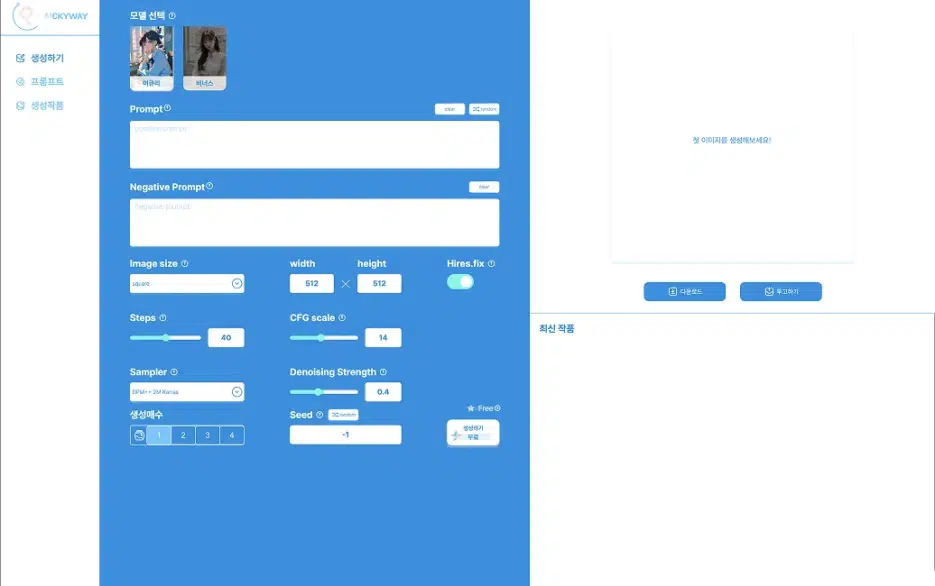
2. Describe the image you want to generate in English.
First, I simply wrote about a person wearing glasses sitting in a chair studying.
ex.
glasses, studying, sitting on the chair,
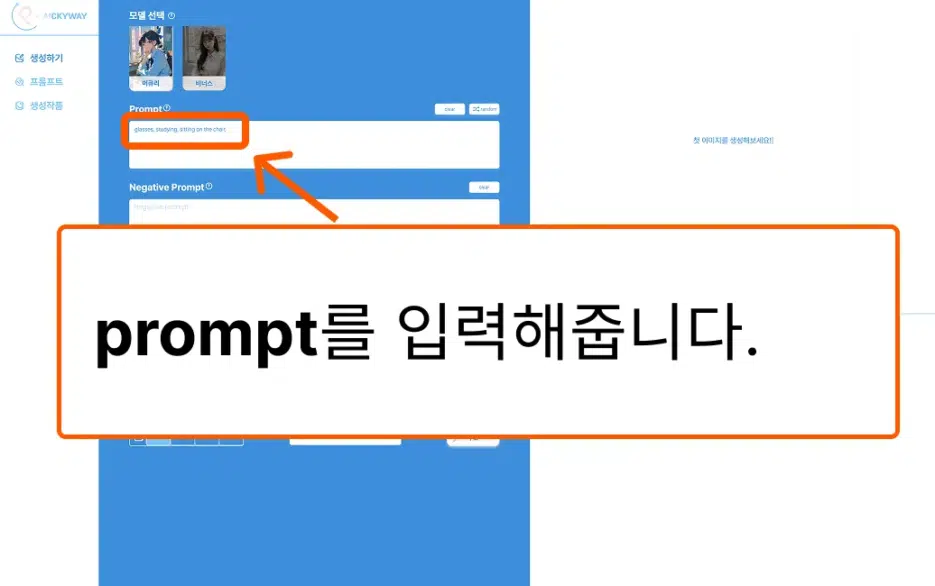
3. Press the Generate button to add to the generation queue.
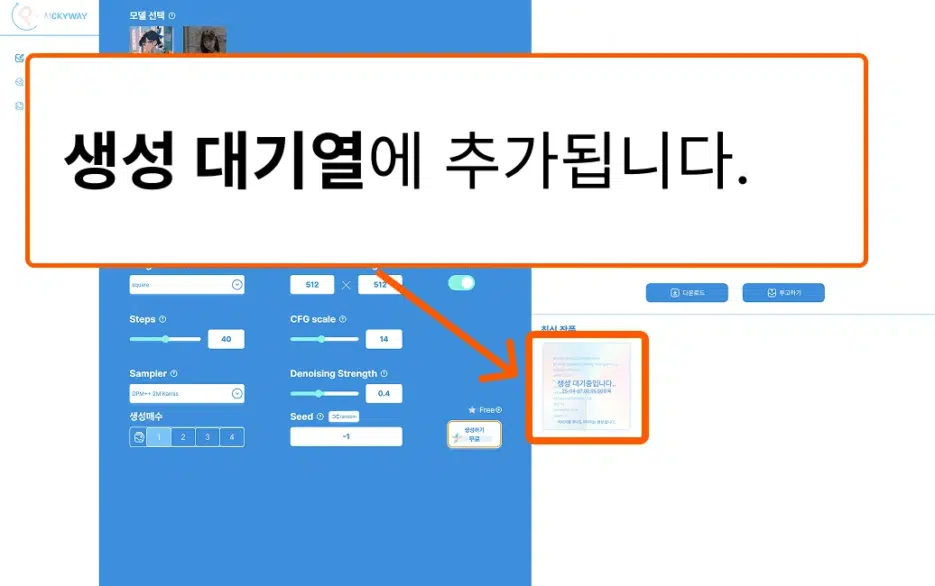
4. When image generation starts, it shows 10%..90%.
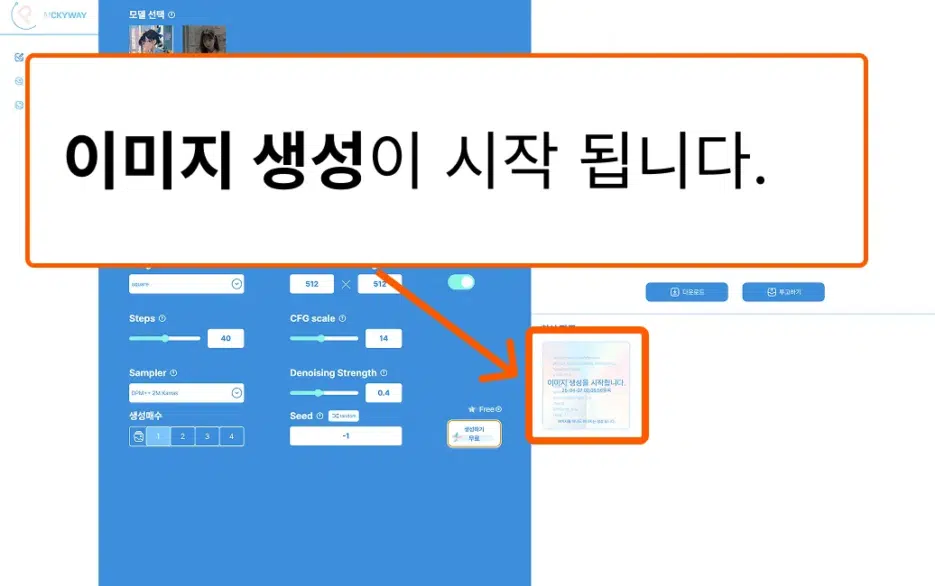
5. Here's the first simple prompt generation result.
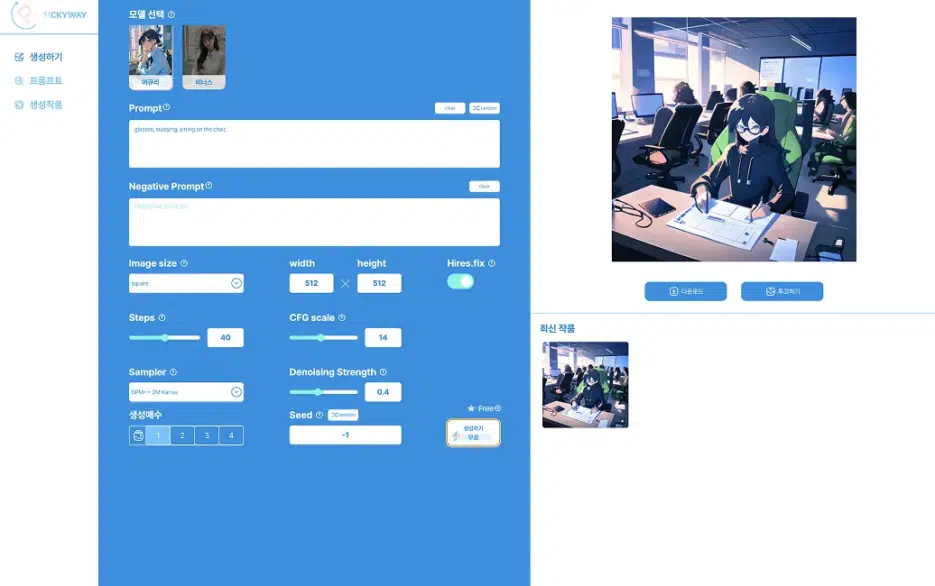
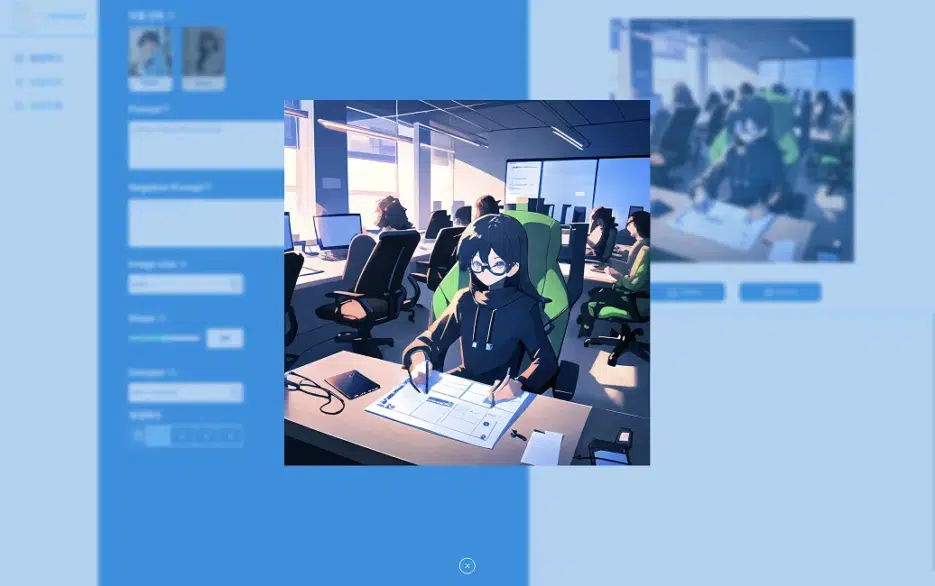
6. The quality isn't great...
Let's add a few methods for better quality. Next..
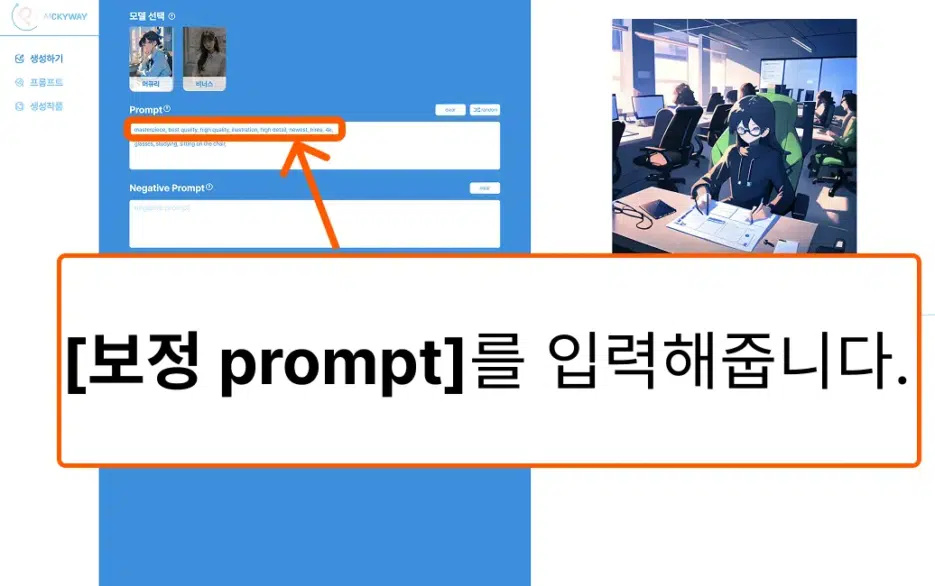
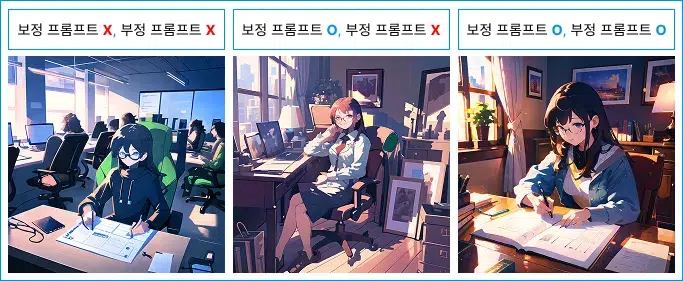
7. Adding Quality Enhancement Prompts
When entering prompts, there are prompts that are basically entered like a staple dish. Let's call the following prompt a quality enhancement prompt.
ex.
masterpiece, best quality, high quality, illustration, high detail, newest, hires, 4k,
Enter the quality enhancement prompt and generate.
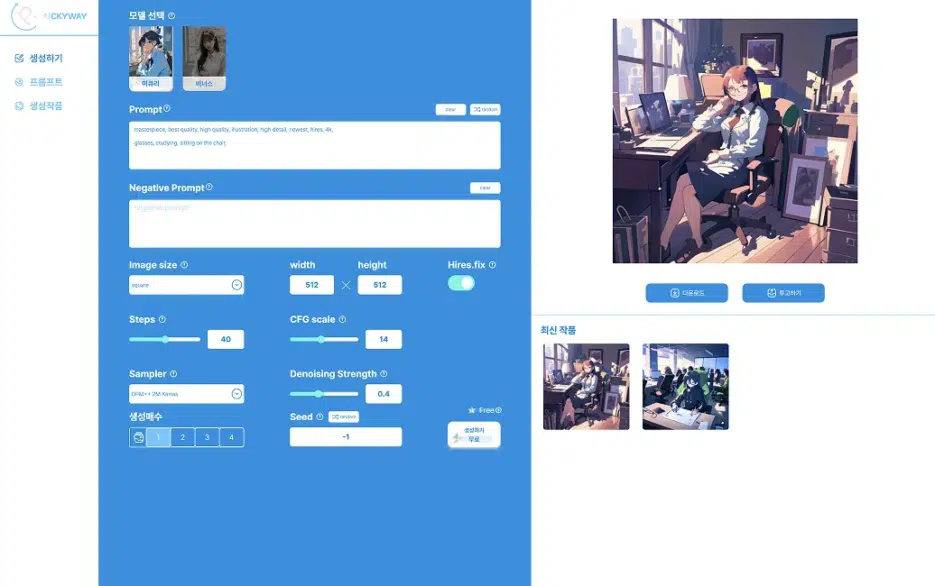
8. Result with Quality Enhancement Prompts Added
You can see that the overall background detail has increased and the person's description has improved.
However, looking at the face in the image, it's distorted and strange.
9. Let's add negative prompts.
ex.
Watermark, Text, censored, deformed, bad anatomy, disfigured, poorly drawn face, mutated, extra limb, ugly, poorly drawn hands, missing limb, floating limbs, disconnected limbs, disconnected head, malformed hands, long neck, mutated hands and fingers, bad hands, missing fingers, cropped, worst quality, low quality, mutation, poorly drawn, huge calf, bad hands, fused hand, missing hand, disappearing arms, disappearing thigh, disappearing calf, disappearing legs, missing fingers, fused fingers, abnormal eye proportion, Abnormal hands, abnormal legs, abnormal feet, abnormal fingers
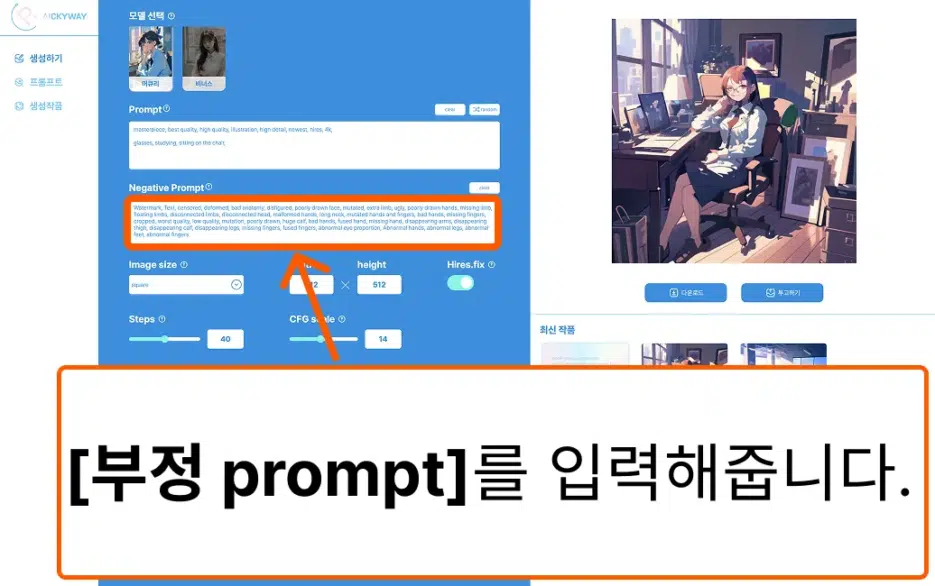
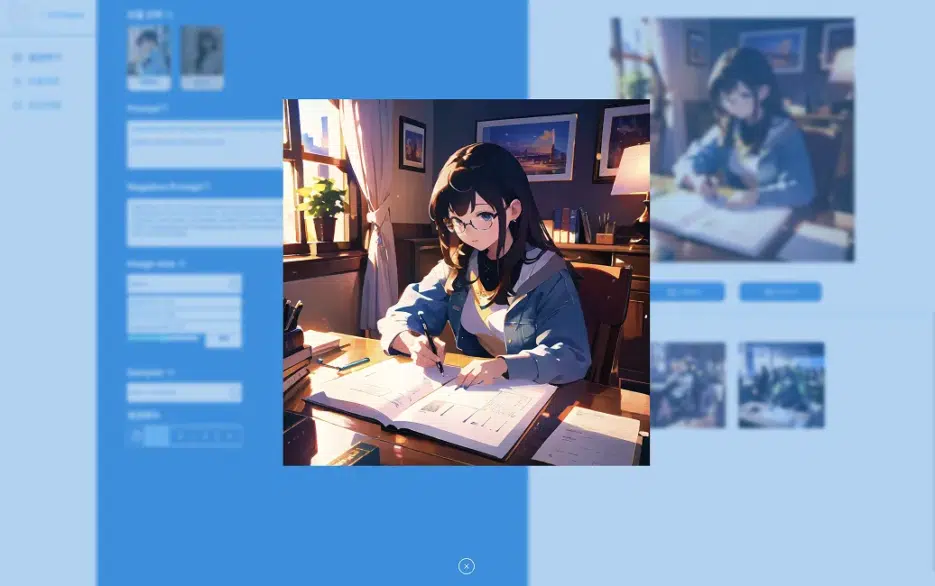
10. Here's the result with negative prompts added. The quality has improved a lot, right?
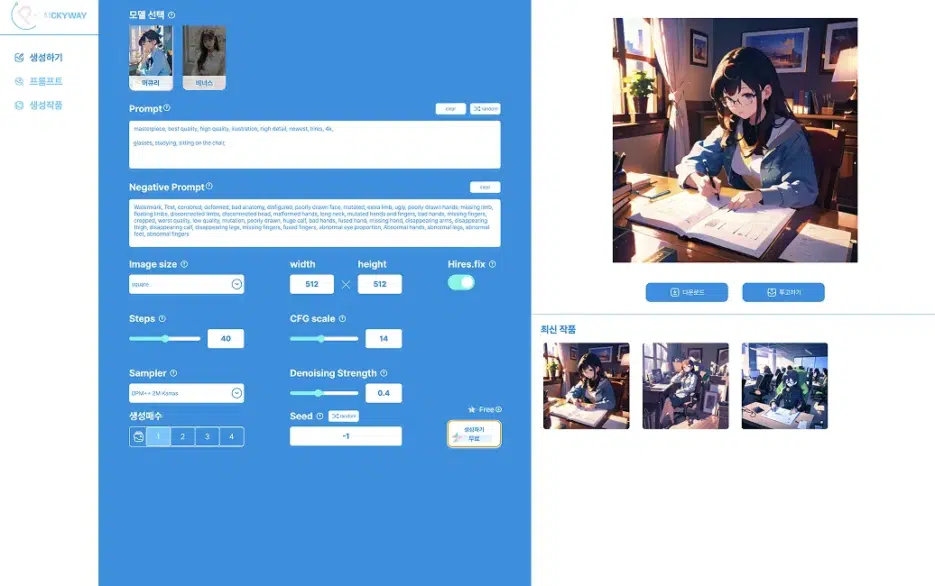
[Enlarged view]
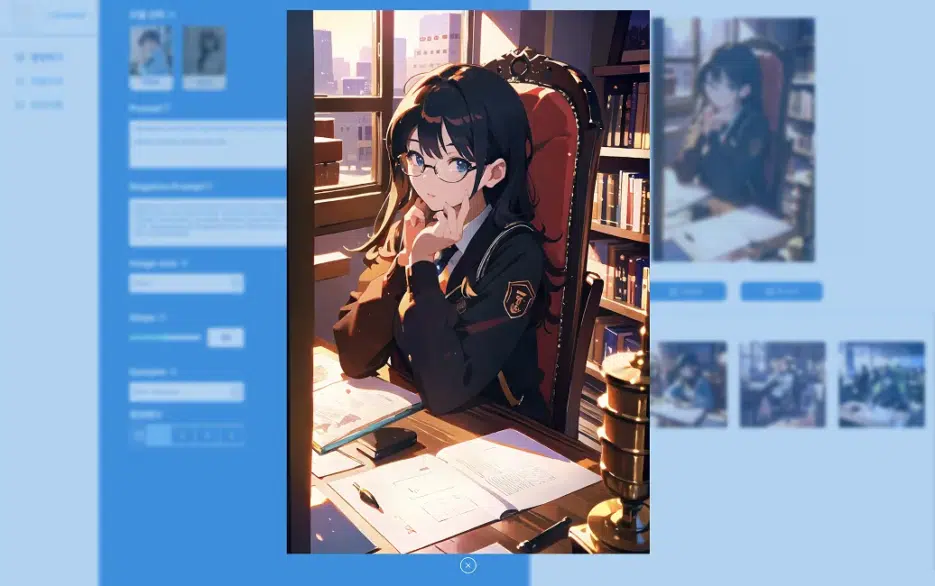
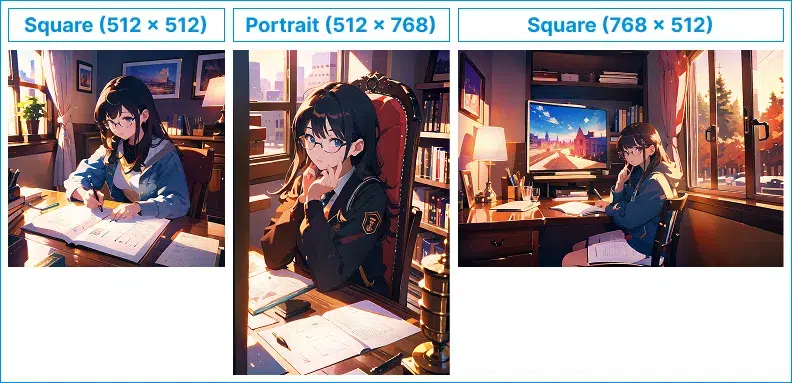
11. Change the image size to Portrait.
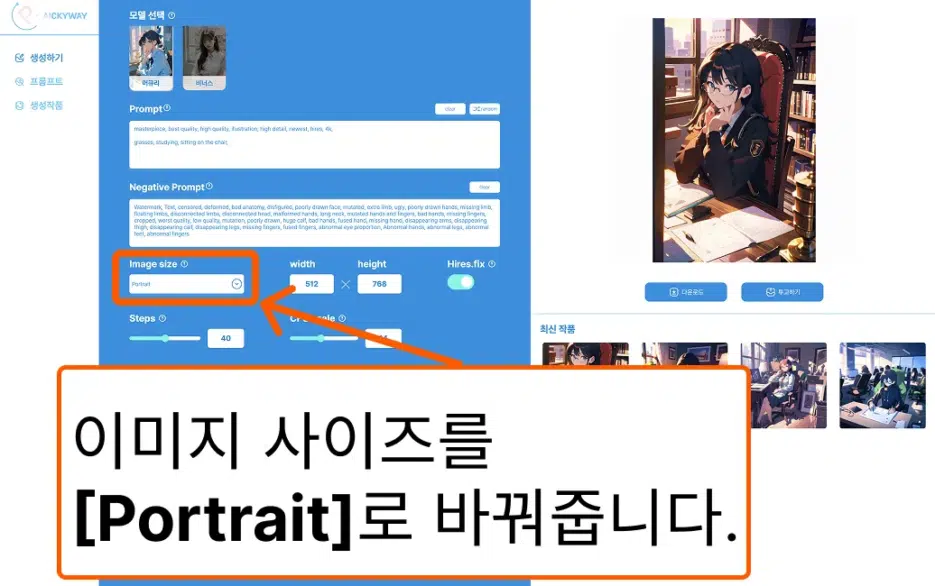
Here's the Portrait generation result.
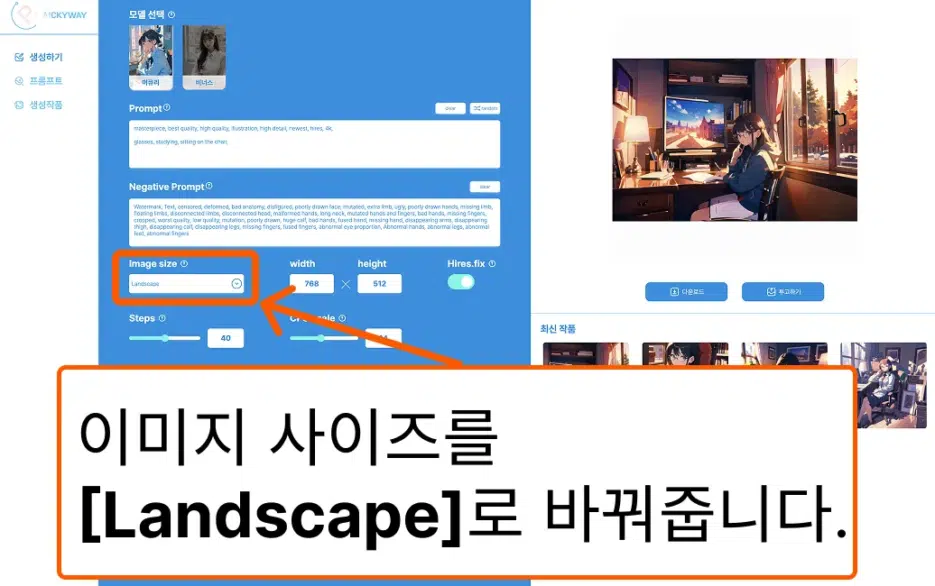
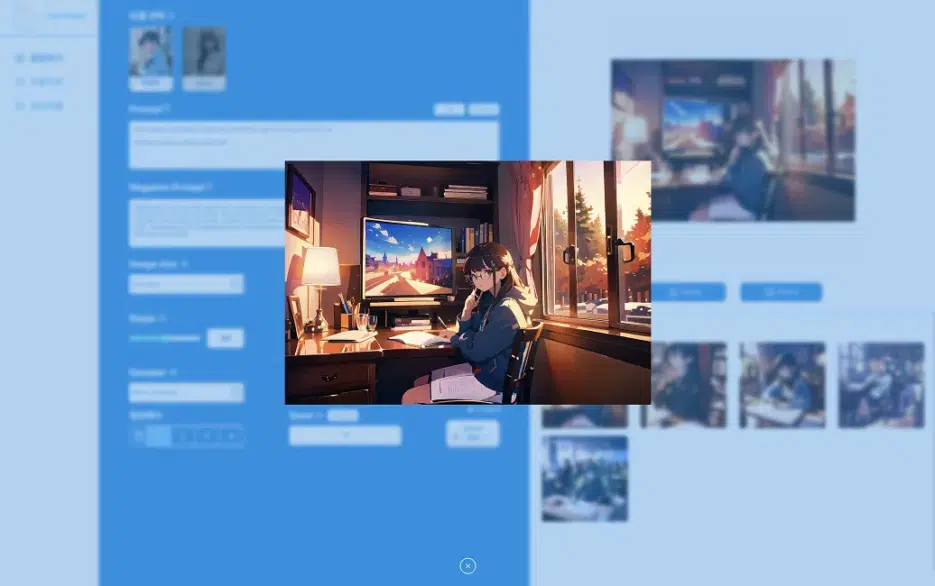
12. Change the image size to Landscape.
Here's the Landscape generation result.
Here are the overall prompt results.
Here are the generation results by size.
If you've followed the steps above, you should have a good grasp of image generation.
Check out other prompts and try copying and pasting to generate!
[Browse Prompts!](https://aickyway.com/generate/promptPage)


