As soon as I heard the news that Nano Banana 2 was out, I jumped straight into AI Studio to test it, and it took less than 2 minutes to generate my first image. That was a bit shocking. A lot of the frustrations I occasionally felt with the previous version seem to have been resolved, so today I'll focus more on my hands-on impressions rather than a feature breakdown.
What's Different
The underlying architecture is based on the Gemini 3.1 Flash image model. It supports native 4K output on par with the Pro model, but at half the price. That's the key takeaway.
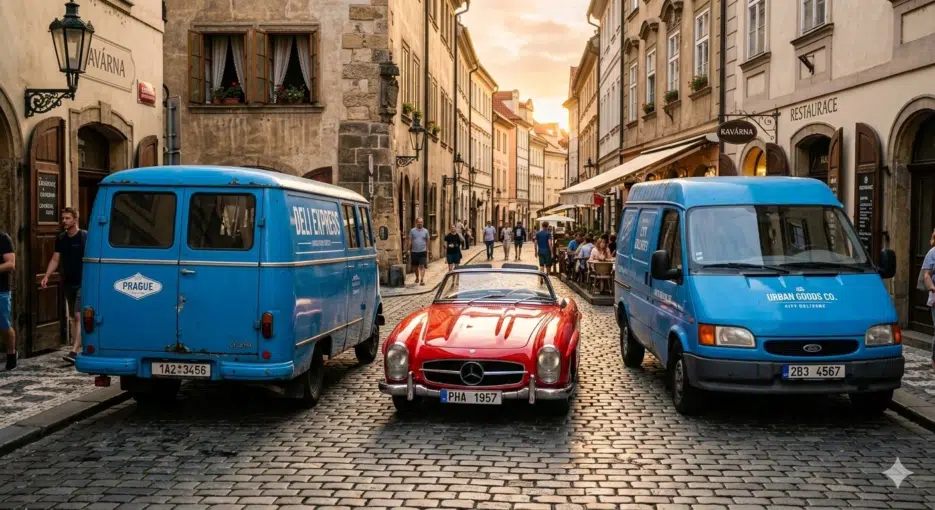
The previous Nano Banana was a bit clumsy with spatial directives. When you entered prompts with complex positional relationships like "blue trucks on both sides of a red car," the positions would get mixed up or ignored entirely. They say version 2 has significantly improved this. When I compared them side by side, it was definitely better — though not 100% accurate.
What's really interesting is the real-time web search-based World Knowledge feature. Upload a map screenshot and say "draw this area as a panorama," and the result looks quite similar to the actual terrain. I captured part of downtown Seoul and fed it in — it wasn't perfect, but there were moments where I thought, "Oh, this really does feel like that neighborhood." Pretty cool.
How to Access It
There are several platforms you can use. It depends on your purpose.
For general users, just use the "image generation" feature in the Gemini web app. It's already been upgraded to Nano Banana 2. Free accounts get 20 images per day, Plus gets 50, Pro gets 100, and Ultra gets 1,000.
If you want more granular control, I recommend Google AI Studio. Select the Nano Banana 2 model in the Playground tab — it's a paid model, so you'll need an API key. This is where I did most of my testing, and the parameter adjustments are much more flexible, so this felt like the right fit.
If you need team-level workflows or agent integration, you'll want to go with Vertex AI. Select the gemini-3.1-flash-image-preview model in Vertex Studio. Honestly, I haven't gone deep into Vertex yet.
How to Use the API
For developers, the endpoint is gemini-3.1-flash-image-preview. There's sample code in the official docs, and AI Studio can also generate custom code for you.
Here's what the basic text-to-image code looks like:
import { GoogleGenAI } from "@google/genai";
import * as fs from "node:fs";

async function main() {
  const ai = new GoogleGenAI({});
  const response = await ai.models.generateContent({
    model: "gemini-3.1-flash-image-preview",
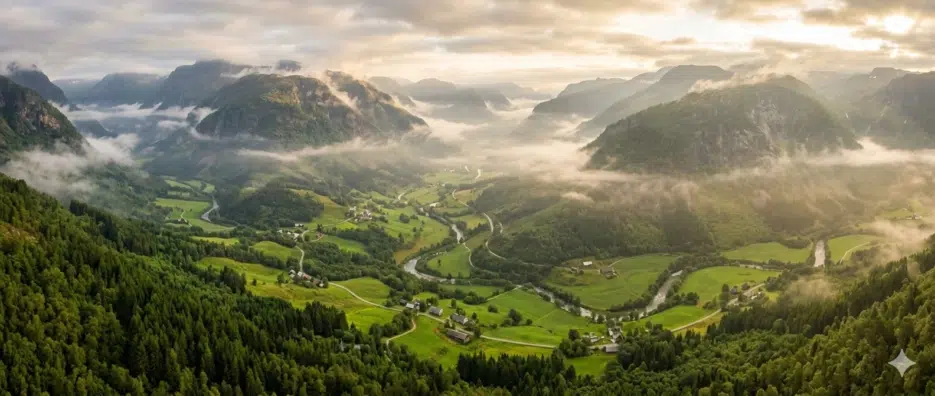
    contents: "Misty panoramic aerial shot of a verdant valley",
  });
  for (const part of response.candidates[0].content.parts) {
    if (part.inlineData) {
      const buffer = Buffer.from(part.inlineData.data, "base64");
      fs.(, buffer);
    }
  }
}
();
Pricing
For API usage, image output costs $60 per million tokens. Higher resolution means more token consumption, so the actual cost per image varies depending on the size you request.
With Google Search Grounding, you get up to 5,000 prompts per month for free, and after that it's $14 per 1,000 requests. For most individual users, the free tier should be more than enough.
If batch image generation is your main use case, the half-price point compared to Pro is genuinely attractive. Especially for tasks like quickly churning out e-commerce thumbnails or prototypes, the Flash version is much more practical.
There Are Limitations
You should keep in mind that this is still an experimental model (it has the preview tag). There could be some risk in plugging it directly into production.
And for cases where quality is the top priority — like precision ad visuals or package design — I still think Pro is the better choice. Flash's strengths are speed and volume, but for work where you need to refine each image carefully, Pro still has the edge.

Conclusion
Nano Banana 2 Flash — I think they did a great job. The positioning of "Pro-level quality at half the price" doesn't seem like an exaggeration, and it's a genuinely practical option for high-volume generation workflows.
But for someone like me who enjoys fine-tuning each image individually, Pro seems like the better fit over Flash. The subtle differences in output quality matter more to me than the cost savings.
Last night I had AI Studio open, running various experiments, and before I knew it, it was past 1 AM... This is seriously a time-consuming hobby.