Most people react like this. When they first hear the term "JSON prompting," they think, "Oh, that must be something only developers do." They don't even know what JSON is.

But once you actually try it, it's really not that hard. All you need to know is a few curly braces and quotation marks. In fact, the results come out more consistent than regular prompts, so I've been using it quite often lately.

You can follow along even if you know absolutely nothing about programming.


Let's Start by Understanding What JSON Is

JSON stands for "JavaScript Object Notation."

Don't let that scare you. You don't need to know JavaScript, and you don't need to know how to code. It's just a name.

Simply put, it's "a way to organize information in a format that computers can easily read."

You usually write prompts like this:

a cute fox in a forest, storybook illustration style, warm lighting

This is a "natural language" prompt. You write it the way people talk. The AI reads it and interprets it like, "Okay, fox, forest, storybook style..."

But the problem is that AI sometimes misinterprets your intent. It might interpret "warm lighting" as actual lighting, or as the overall color tone. So if you don't get the result you want, you end up going through trial and error, tweaking the prompt here and there.

JSON prompting is a method where you clearly separate and communicate each element.


Why Bother Writing It This Way

Honestly, for making a single simple image, natural language prompts are more convenient.

But there are times when JSON is better:

When making multiple similar images. It's convenient when you want to change just the subject while keeping everything else the same. Just replace "fox" with "bear" and you get another animal image in the same style.

When you want to save it as a template. Once you create one, you can keep reusing it. I have a product image template that I made once and just swap out the subject each time.

Results come out more consistent. Since the AI clearly distinguishes each element, you can definitively communicate "this is the style, this is the background, this is the lighting."
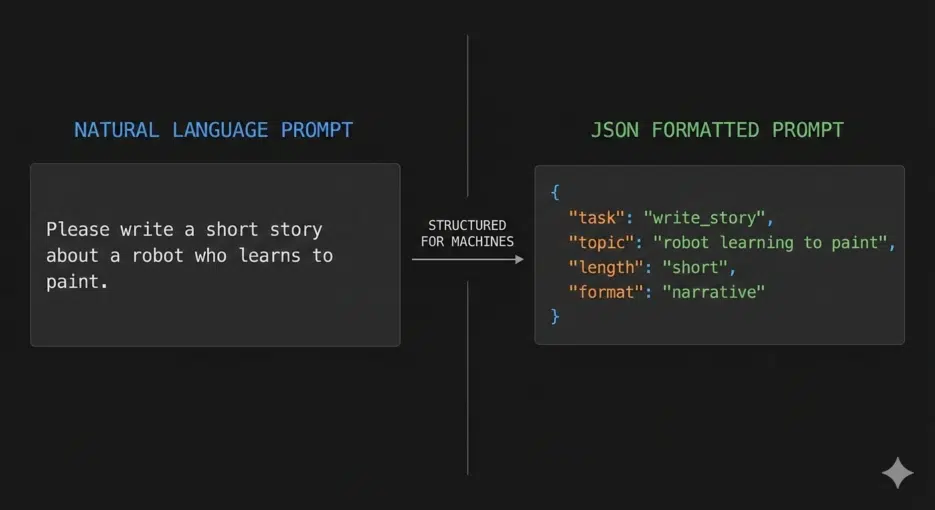

Comparison diagram between natural language prompts and JSON prompt format

Basic Structure — Curly Braces Are Everything

JSON prompts always start and end with curly braces {}.

{
}

This is an empty JSON object. Nothing's in it yet.

You add information in a "key: value" format:

{
  "subject": "a fox"
}

"subject" is the key, and "a fox" is the value. Both are wrapped in quotation marks and connected with a colon (:).

If you want to add multiple items, separate them with commas:

{
  "subject": "a fox",
  "setting": "enchanted forest",
  "time_of_day": "golden hour",
  "style": "storybook illustration",
  "mood": "whimsical and magical",
  "color_palette": "warm autumn tones",
  "details": "soft fur, expressive eyes",
  "composition": "centered, close-up portrait"
}

Don't put a comma after the last item. I kept making this mistake at first, but once you get the habit, it's fine.
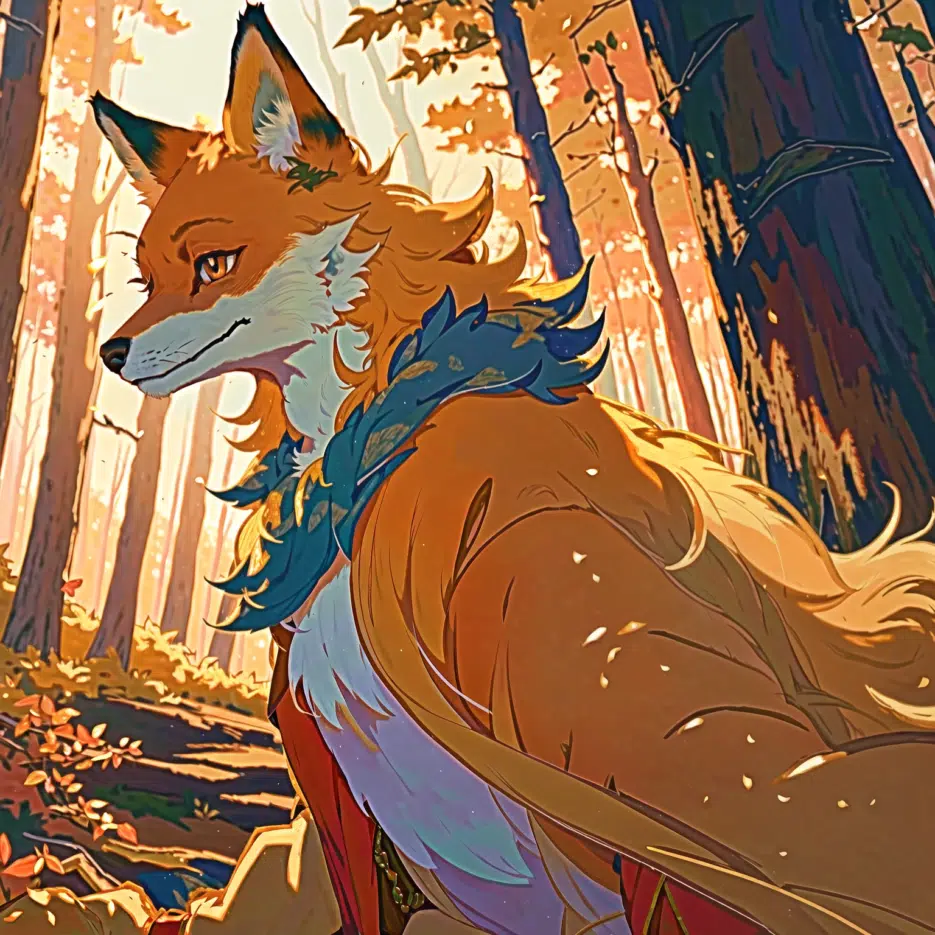
Storybook-style fox illustration generated with JSON prompt

Reusing by Just Changing the Subject

This is the real advantage of JSON.

Let's change just the "subject" part from the prompt above:

{
  "subject": "a bear",
  "setting": "enchanted forest",
  "time_of_day": "golden hour",
  "style": "storybook illustration",
  "mood": "whimsical and magical",
  "color_palette": "warm autumn tones",
  "details": "soft fur, expressive eyes",
  "composition": "centered, close-up portrait"
}

This gives you a bear image in the exact same style as the fox. Since all the other settings are identical, you can create a consistent series of images.

When I was making an animal illustration series, I did exactly this. Fox, bear, deer, rabbit... I just swapped the subject and generated about 10 images, and they looked great because the style was unified.


Changing to a Completely Different Feel

This time, let's change most of the values:

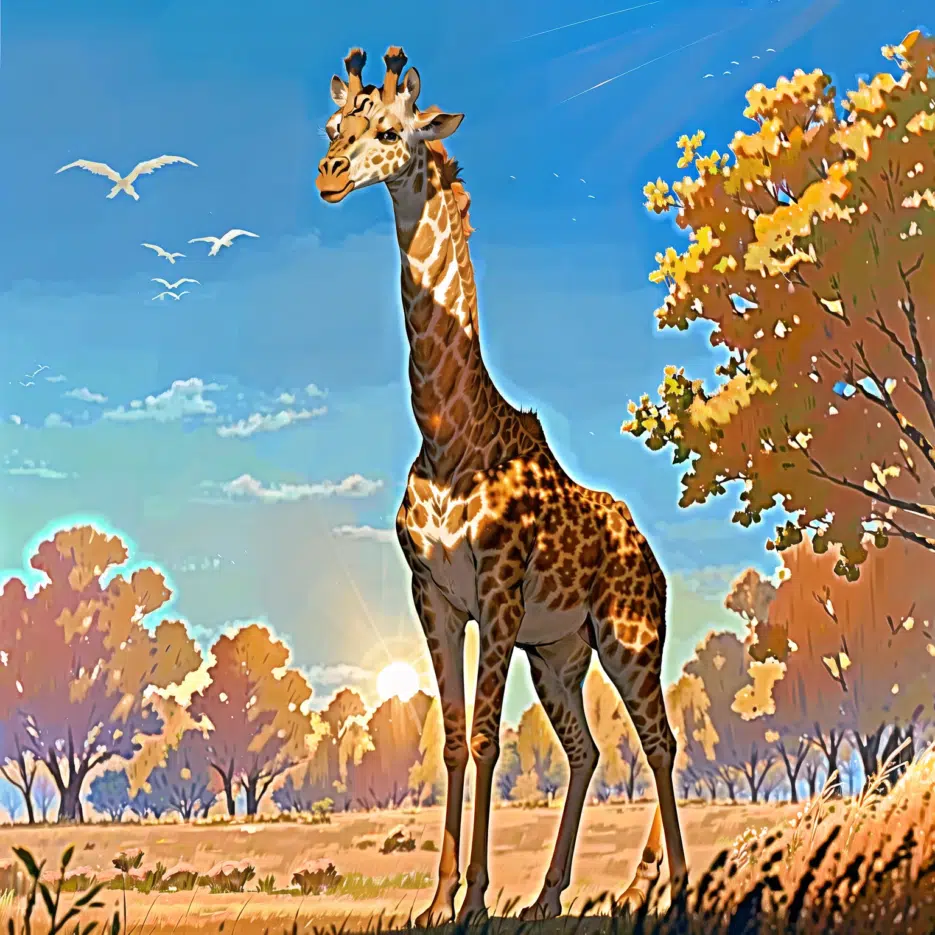
{
  "subject": "a giraffe",
  "setting": "African savanna",
  "time_of_day": "midday, bright sun",
  "style": "photographic realism",
  "mood": "peaceful and natural",
  "color_palette": "earthy tones, blue sky",
  "details": "detailed spots, long neck",
  "composition": "full body, environmental portrait"
}

It went from a storybook-style fox to a realistic giraffe photo — completely different. "style": "photographic realism" makes the biggest difference.


Realistic African giraffe photo generated with JSON prompt

That covers the basics. But JSON lets you put another JSON object inside a value. This is called "nesting."

Getting More Complex — Nested Structures

That covers the basics. But JSON lets you put another JSON object inside a value. This is called "nesting."

For example, if you want to group camera settings separately:

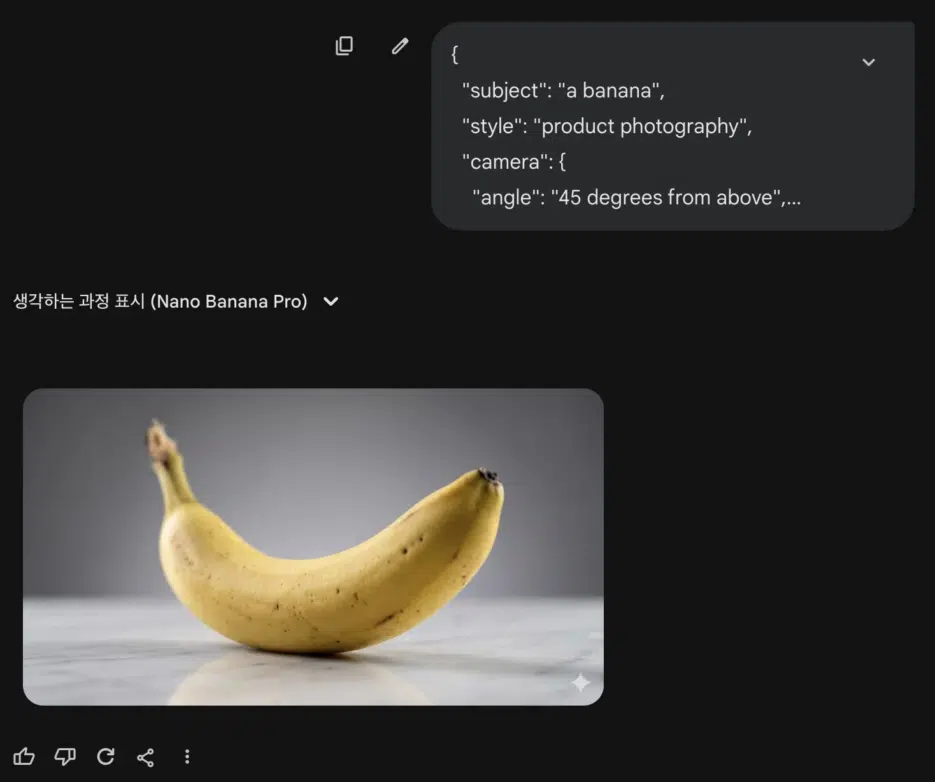
{
  "subject": "a banana",
  "style": "product photography",
  "camera": {
    "angle": "45 degrees from above",
    "lens": "macro",
    "focus": "shallow depth of field"
  },
  "lighting": {
    "type": "studio softbox",
    "direction": "from left",
    "effects": ["rim light", "subtle shadows"]
  },
  "surface": {
    "material": "white marble",
    "reflection": true
  },


See that? Inside "camera", "lighting", "surface", and "background", there are more curly braces. Each one is an independent JSON object.

"effects": ["rim light", "subtle shadows"] — this is an array. You put multiple values inside square brackets [].

"reflection": true is a boolean. You just write true or false without quotation marks.

At this level, you can control things quite precisely.


Commercial banana product photo generated with JSON prompt

Not all AI image generators support JSON. Here are my test results:

Works:

  • Gemini — Works even in the free version
  • Freepik — Works well with the Flux model
  • OpenArt.ai — Tested on multiple models, works on most
  • ImagineArt — Works
  • Leonardo.Ai — Works
  • NightCafe — Works

Doesn't work or inconsistent:

  • Midjourney — Doesn't directly recognize JSON format. You need to convert it to natural language
  • DALL-E / ChatGPT — Natural language works better than JSON format

Results may vary by model, so it's best to test it yourself. I initially thought it didn't work on some platforms, but switching models made it work in some cases.


Test Prompt

If you want to try it yourself, copy and paste this:

{
  "style": "Cinematic portrait, professional-grade",
  "subject": {
    "gender": "female",
    "ethnicity": "Korean",
    "pose": "seated, elegant, looking confident"
  },
  "environment": {
    "location": "indoors, modern cafe",
    "lighting": "soft natural window light"
  },
  "details": [
    "hyper-realistic",
    "high resolution",
    "detailed background"
  ]
}

You can create multiple versions by changing the "ethnicity" or "location" parts.


Honest Downsides

JSON prompting isn't a silver bullet.

More typing required. Curly braces, quotation marks, colons... it takes more effort than natural language. For making a single simple image, it's actually more of a hassle.

Syntax errors break things. If you miss a comma or forget to close a quotation mark, it won't be recognized. I kept getting errors at first and spent a while figuring out the problem. Turns out I had put a comma after the last item.

Doesn't work on all platforms. As I mentioned, it doesn't work well on Midjourney or DALL-E.

Still, when you need to make multiple similar images, it's definitely convenient. Just create a template and swap out the subjects.


Summary

JSON prompting looks like programming, but it's really just a way to organize information.

  • Wrap with curly braces {}
  • Enter information in "key": "value" format
  • Separate multiple items with commas
  • Use nesting for detailed settings when needed

It's great for creating templates and reusing them, which makes it useful for creating image series or maintaining a consistent style.

I initially thought "what even is this," but now I use JSON for almost all my product images. Once you get used to it, it's actually easier.