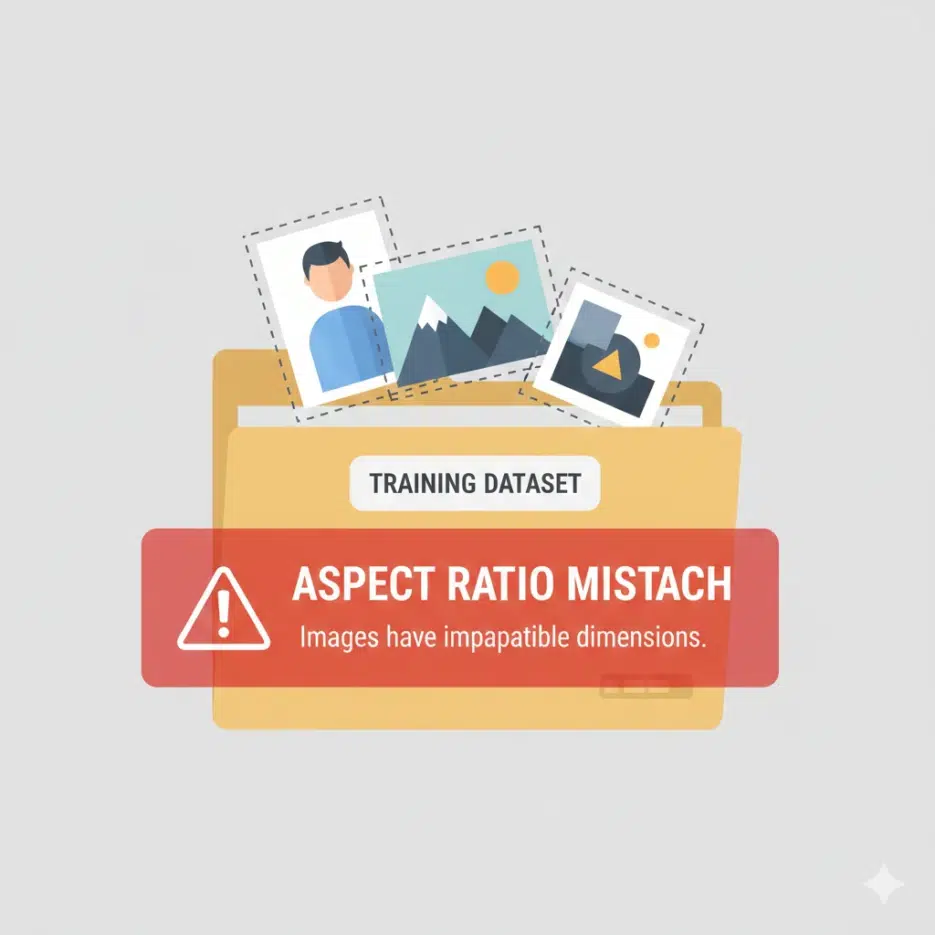
My first time running LoRA training was last year, and this was the very first problem I ran into. I had prepared my training images — tall full-body illustrations, wide landscape images, and square face close-ups — dumped them all into one folder and hit run. An error popped up immediately.
RuntimeError: expected all tensors to be of the same size
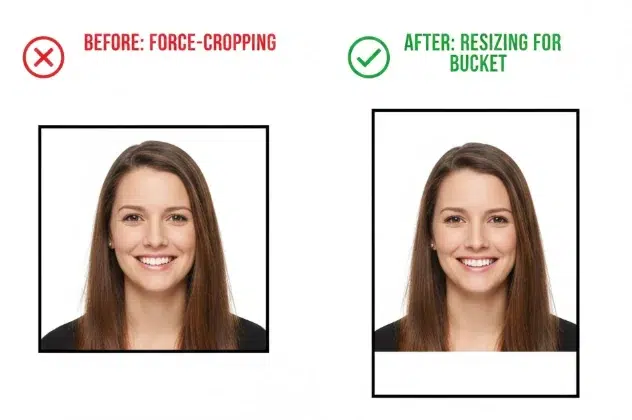
At the time, I just thought "Oh, I just need to resize everything to 512×512" and moved on. But when I looked at the results, the full-body character's head was cut off and the sides of the landscape images were all smashed together. I didn't understand exactly why at the time. It wasn't until I learned about Aspect Ratio Bucketing that I properly understood both the cause and the solution.
Recently, a researcher named hengtao tantai posted a clean writeup on this topic on Towards AI (original: "How Stable Diffusion Trains Variable-Resolution Images Without PyTorch Errors", 2024.12.13). Since this is essential knowledge for anyone doing LoRA or Dreambooth training in the image generation community, I've put together this explanation mixing his article with my own experience.
Why PyTorch Rejects Images of Different Sizes
This part is simple once you understand it, but you'll keep going in circles if you don't.
In PyTorch, a batch is multiple images bundled into a single tensor (a multi-dimensional numerical array). Images are stacked using torch.stack(), and at that point, all images must have exactly the same height, width, and number of channels. If you try to put a 512×512 image and a 1024×512 image in the same batch, PyTorch refuses. Parallel computation simply doesn't work when array sizes differ.
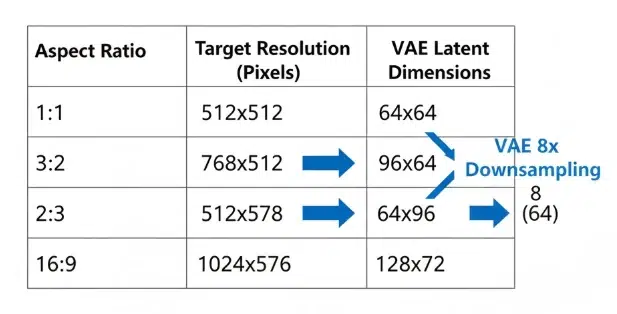
This isn't just a problem with the original images. Stable Diffusion doesn't train on images directly — it first compresses them through a VAE (Variational Autoencoder) into latent space representations. A 512×512 image becomes a 64×64 latent representation, while 1024×512 becomes 128×64. These latent representations also need to be the same size for the UNet to process them. Kernel operations, attention calculations — they all assume identical tensor sizes within a batch.
You might think padding (filling empty space with zeros) could solve this, but it doesn't work during training. The padding regions contaminate gradient calculations. If the model learns that "black borders are a normal part of images," artifacts with meaningless black regions start appearing in generated results.
That's why the problem needs to be solved at the data loader level, not the model level.
What Aspect Ratio Bucketing Is
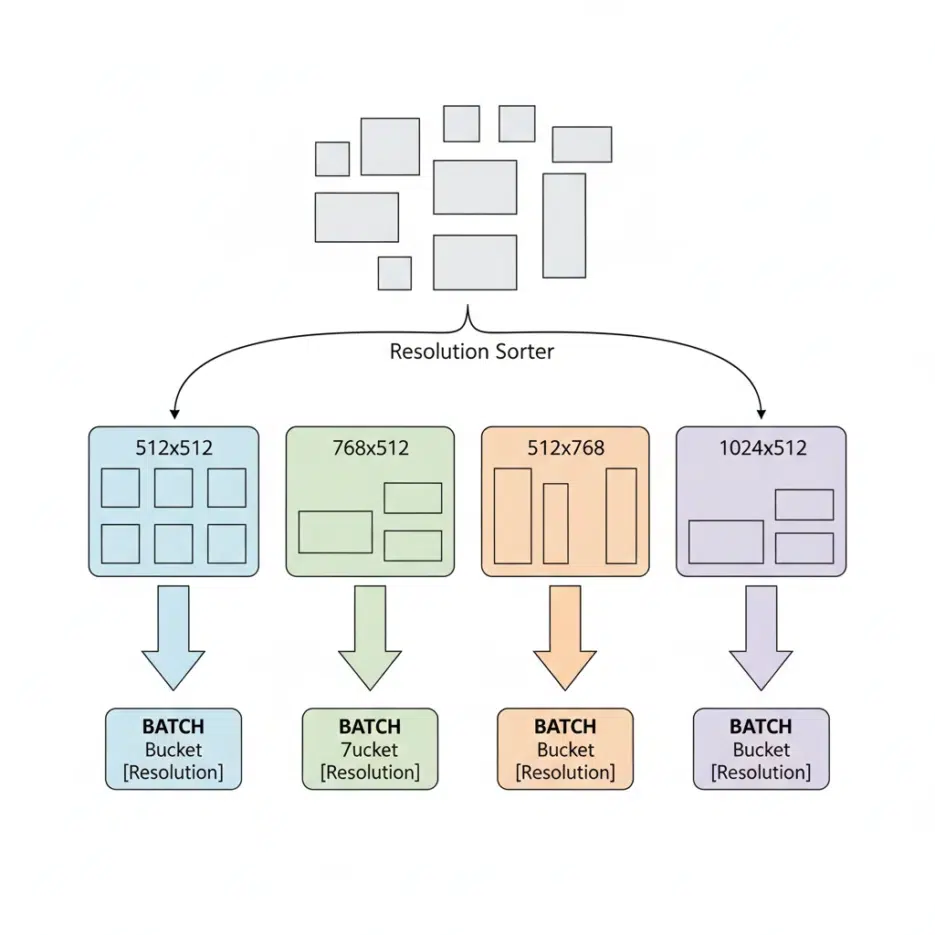
The principle is surprisingly simple. You group training images by similar resolution into groups (buckets), and when constructing batches, you only draw images from the same bucket.
For example:
- Bucket A: 512×512 images
- Bucket B: 768×512 images
- Bucket C: 512×768 images
- Bucket D: 1024×512 images
During training, the data loader picks one bucket and pulls out enough images to fill the batch size (usually 4–8 images). Since they're from the same bucket, they're all the same size, and torch.stack() passes without issues. Latent representations after VAE encoding also match in size, and the UNet processes them normally.
This method is not optional. If you want to train Stable Diffusion with non-square images, you must use this technique. It's built into all major training tools: Kohya_ss, NovelAI, Diffusers, SDXL fine-tuning scripts, and more.
How Many Buckets to Use
This is where it gets tricky when actually running training. Too few buckets and you can't accommodate images with diverse aspect ratios. Too many and the number of images per bucket drops, making it hard to fill batches. Smaller batch sizes lead to unstable gradients and lower training quality.
Looking at Kohya_ss's default settings, bucket resolution intervals are set in 64-pixel increments, which produces roughly 20–30 buckets. This works well when you have thousands of training images, but for small-scale LoRA training with fewer than 100 images, splitting buckets too finely can leave only 2–3 images per bucket. At that point, you either reduce the number of buckets or lower the batch size to 1–2, but the latter affects training stability.
In my case, when training character LoRAs I typically use 20–50 images. From experience, widening the bucket resolution interval to 128 cuts the number of buckets in half while increasing images per bucket, making training more stable. Of course, this comes at the cost of a slightly larger gap between original aspect ratios and actual training resolutions, but when image counts are low, it seems like the better compromise.
SDXL's Pixel Budget System
This is an improvement introduced in SDXL, and it's quite clever.
Instead of fixed resolutions, SDXL uses the concept of a "target pixel count (pixel budget)." With a target of roughly 1024² ≈ 1 million pixels, it calculates the resolution that fits each aspect ratio. Two constraints apply:
- Both width and height must be divisible by 64
- The total pixel count must be close to the target
The reason they must be divisible by 64 is because of the VAE. Stable Diffusion's VAE downsamples images by 8×, so aligning to 64-pixel increments (a multiple of 8) ensures latent representation dimensions come out as clean integers. If the height were 830, then 830÷8 = 103.75, which can't produce an integer-sized latent representation, breaking the bucketing entirely.
Anyone who's been doing AI image generation since the early days will relate to this.
In the SD 1.x and 2.x era, there was no bucketing — all training images were force-cropped to 512×512. A 2000×1000 wide landscape photo had its sides chopped off, and tall full-body illustrations had their tops and bottoms cut. Heads getting sliced off in portraits and roofs disappearing from building photos was an everyday occurrence.
The problem wasn't just that it "looked bad." When a model trains on cropped images, it learns that "it's normal for a person's head to be cut off at the top of the frame." The phenomenon where generated portraits have heads extending beyond the frame, or you ask for a full body and the feet get cut off — that came from here. The model wasn't bad; the training data was already broken.
Among the images posted on aickyway, if you look at SD 1.5-based outputs, you'll often see full-body characters with cut-off feet or unnatural spacing above the head. The dramatic reduction of this problem in SDXL and later models isn't just due to model size or parameter count — it's largely because bucketing preserved the original composition in training data.
This was a change closer to "bug fix" than "performance improvement."
Changes in DiT Architecture — Inference Is Flexible, but Training Is Still Fixed
Recent models like Stable Diffusion 3, Hunyuan-DiT, and Wan use DiT (Diffusion Transformer) architecture instead of UNet. One important feature of DiT is 2D RoPE (Rotary Position Embedding), which assigns 2D positional information to each token in latent space. This allows a 128×64 grid and a 152×104 grid to be interpreted as different spatial structures, enabling inference at resolutions never seen during training.
For example, a model trained only with 1024×512 and 512×512 buckets can generate 2048×1024 images during inference. This is because 2D RoPE dynamically adjusts position encodings to match the new token count.
However, this flexibility is limited to inference only. During training, bucketing is still used. Gradient computation, attention caching, and memory alignment all require identical tensor sizes within a batch. Just because DiT can structurally handle variable-length sequences doesn't mean PyTorch's batch constraints disappear during training.
Without understanding this distinction, you'll fall into misconceptions like "DiT models can handle any resolution, so we don't need bucketing, right?" Being flexible at inference and being flexible at training are separate issues.