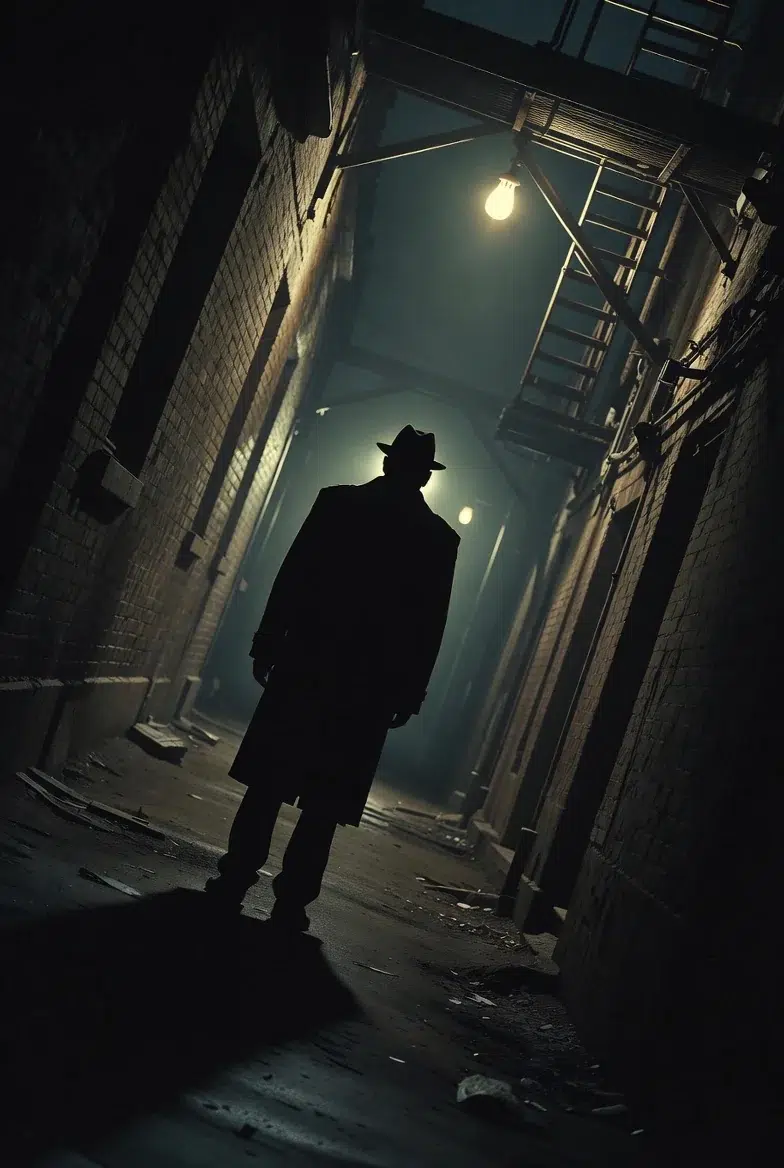
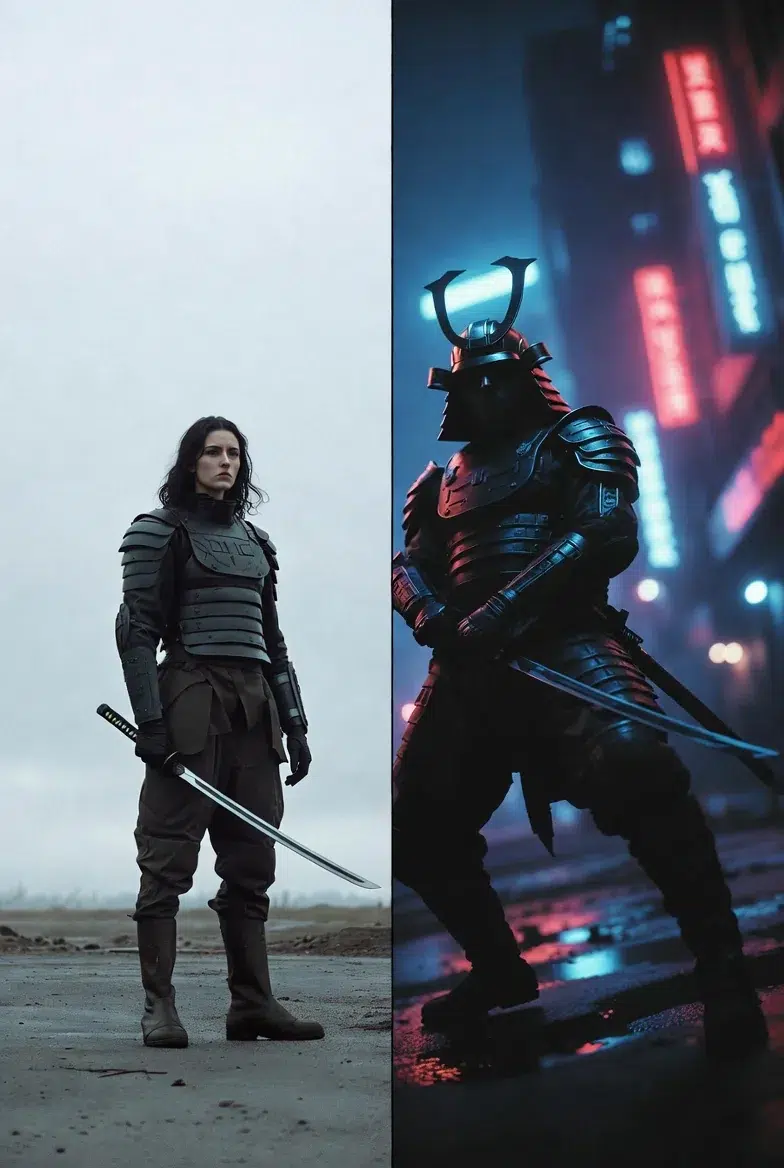
If you just type "warrior" in Midjourney, you get a generic warrior. But if you type "low-angle cowboy shot of a cyberpunk samurai, 85mm lens, shallow depth of field, neon reflections flickering across her face"? Suddenly it looks like a scene from a movie.
What's the difference? It's not computing power—it's precision in language.
Models like Midjourney v6, Sora, and Veo don't just parse subjects—they understand cinematic grammar. They recognize cinematography terms that have evolved over 100+ years. When you know these terms, your prompts become dramatically different.
I used to just write "cool angle" and kept getting similar results every time. Once I started using cinematography terminology, I got much closer to what I was envisioning.
Part 1: Shot Types (How Much of the Frame the Subject Occupies)
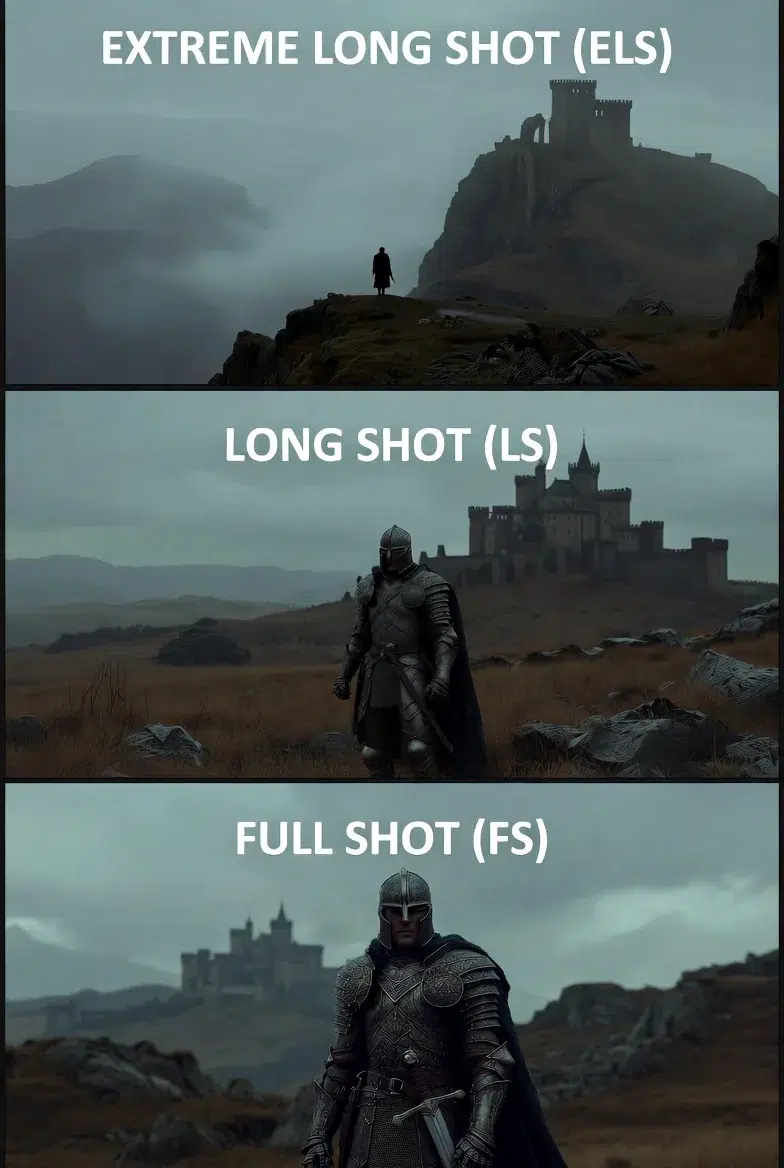
Extreme Wide Shot (ELS)
The subject appears very small while the environment dominates. Used for world-building or showing scale.
Prompt example:
ELS of a lone archaeologist approaching a pyramid on Mars,
dust storm on horizon, subject is thumbnail-sized silhouette
against epic rust-colored sky, cinematic establishing shot --ar 16:9
Technical tip: 14-24mm ultra-wide lens, deep focus (f/8-f/11), 16:9 or wider aspect ratio
Long Shot (LS) vs Full Shot (FS)
Long Shot: Full body visible with significant background. For placing characters within their environment.
LS of a wizard atop a castle tower, full body visible,
storm clouds swirling behind, balances character presence with epic scale --ar 2:3
Full Shot: Head to toe fills the frame. Essential for character design sheets.
FS of a Victorian vampire hunter, standing pose,
every detail of leather coat and silver weaponry visible,
character design sheet --ar 2:3
When designing characters for games or animation, you must use "full shot". Otherwise feet get cut off or proportions come out weird.
Medium Distance Shots
| Shot Type | Framing | Purpose |
|---|---|---|
| Medium Long Shot (MLS) | Above the knees | Capturing body language during dialogue |
| Cowboy Shot | Mid-thigh up | Emphasizing weapons, tools, hand gestures |
| Medium Shot (MS) | Waist up | Corporate portraits, standard dialogue scenes |
Cowboy shot example:
Cowboy shot of a mecha pilot gripping throttle controls,
HUD visible in background, mid-thigh framing emphasizes gauntlets --ar 2:3
The Cowboy Shot got its name from Western films where they framed characters down to mid-thigh to show their holsters. Great for emphasizing weapons or tools.
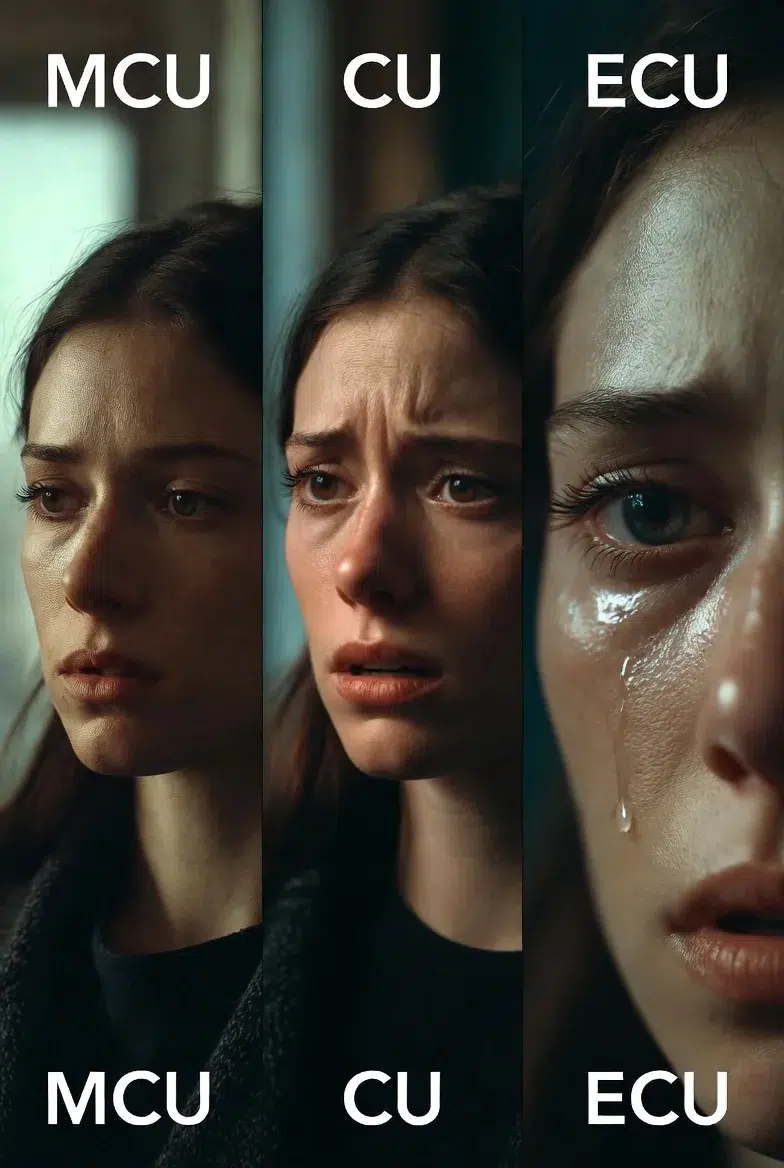
Close-Up Territory
| Shot Type | Framing | Emotional Intensity |
|---|---|---|
| Medium Close-Up (MCU) | Chest up | Reactions |
| Close-Up (CU) | Face and neck | Intimacy |
| Extreme Close-Up (ECU) | Single eye, lips, details | Maximum focus |
ECU example:
ECU of a dragon's eye with vertical slit pupil,
scales around eyelid, reflection of approaching hero,
macro photography detail --ar 1:1
Important: When using ECU, you need to specify "macro photography" or macro lens (100mm+). Otherwise the AI will just make a blurry crop.
Part 2: Camera Angles (The Psychology of Emotion)
Angles determine how the audience feels about the subject. They're a powerful tool for manipulating emotions even without context.
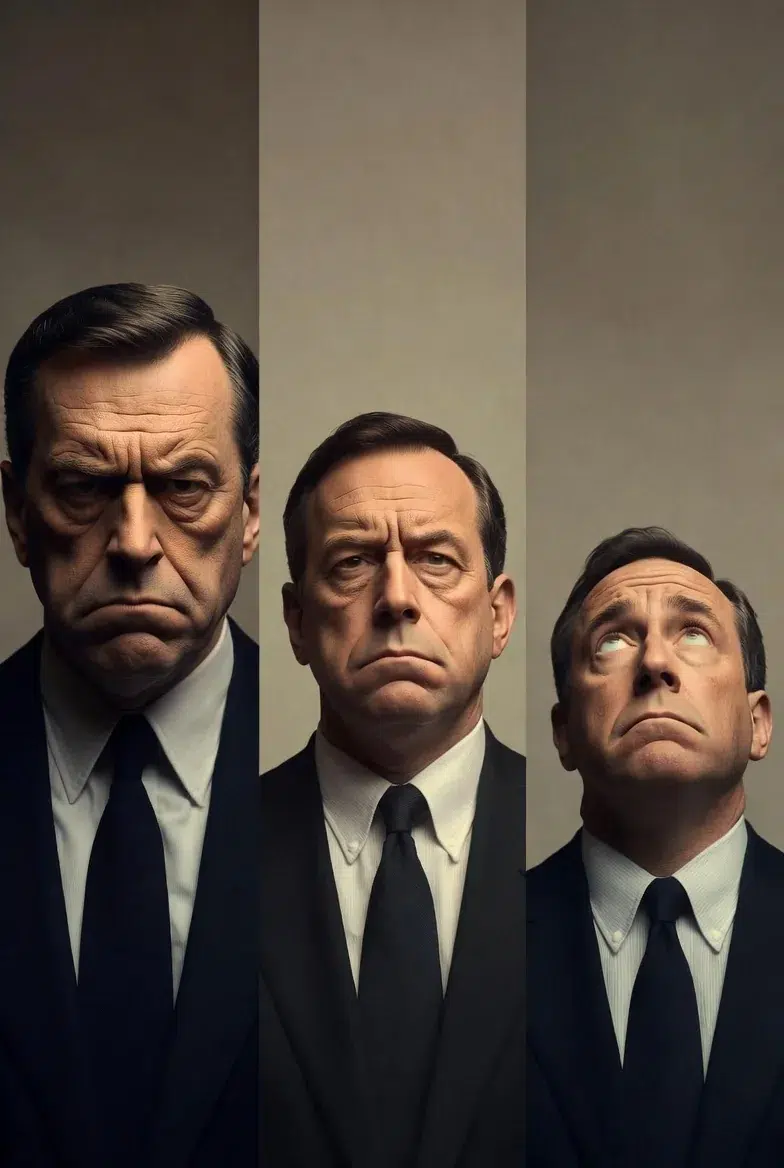
Low Angle vs High Angle
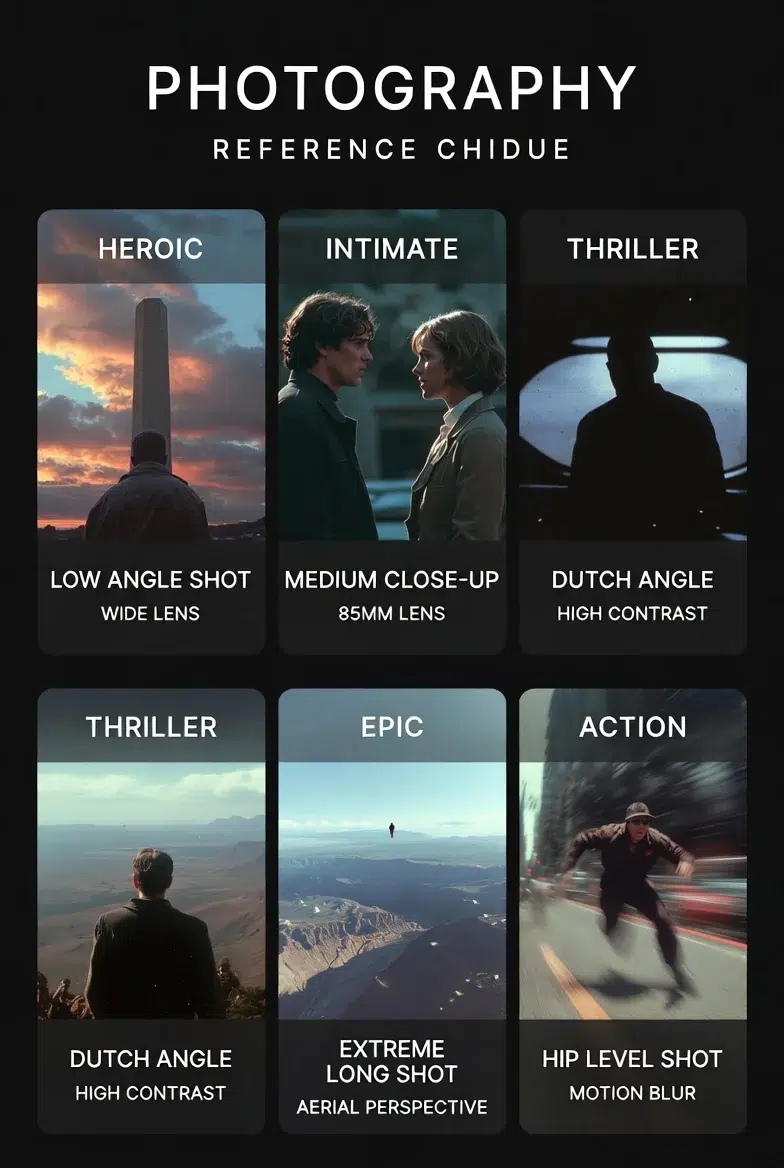
Low Angle: Camera looks up at the subject from below. Power, dominance, heroism, intimidation.
Low angle shot of a queen addressing her army,
camera at ground level, silhouette against sunrise,
24mm lens exaggerates stature, inspiring and formidable --ar 2:3
High Angle: Looking down from above. Vulnerability, submission, isolation.
High angle shot of a lost dog in Times Square,
subject appears small and overwhelmed,
overhead perspective captures crowds parting around it --ar 4:5
When I want a character to look impressive, I almost always use low angle. Conversely, when I want them to look pitiful or weak, I use high angle. Just knowing this makes a huge difference in the mood.
Extreme Perspectives
| Angle | Description | Effect |
|---|---|---|
| Ground Level | A few inches off the floor | Exaggerated scale |
| Hip Level | Hip height | Dynamic movement (skateboarding, swordplay) |
| Bird's Eye View | 90-degree vertical overhead | Patterns and geometric composition |
| Aerial Shot | High but not vertical (drone feel) | Vast environments |
Bird's Eye example:
Bird's-eye view directly overhead of a circular crop circle,
geometric precision, tiny investigator at center, alien mystery --ar 1:1
| Movement | Direction | Purpose |
|---|---|---|
| Pan | Horizontal (left↔right) | Revealing information, following action |
| Tilt | Vertical (up↔down) | Revealing scale, guiding the eye |
Pan example:
Slow pan right across ancient library, camera fixed on pedestal,
revealing towering shelves of scrolls, dust particles catching light,
4-second duration --ar 16:9
Dolly Zoom
A technique where the camera moves while simultaneously zooming in the opposite direction. It creates a disorienting scale-shift effect where the background suddenly compresses or expands. Made famous by Hitchcock's "Vertigo."
Dolly zoom in on astronaut seeing Earth from space station viewport,
background stars compress, emotional weight of realization, 2-second effect --ar 4:5
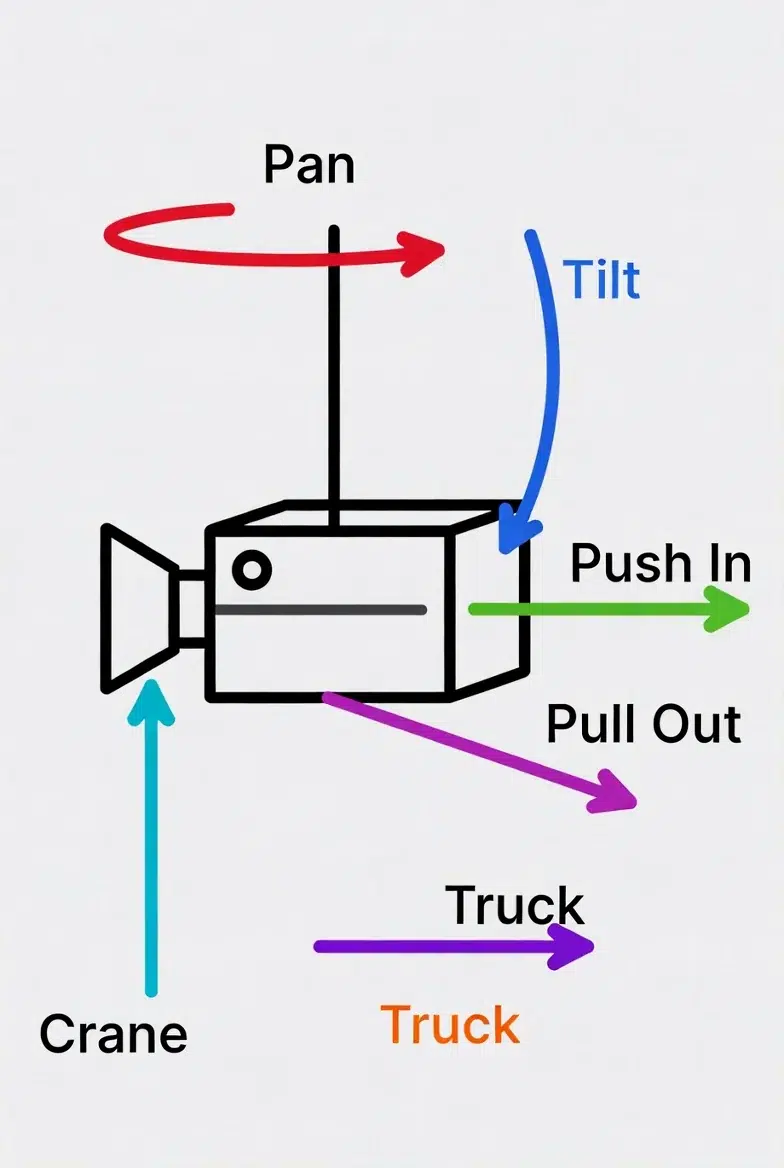
Spatial Movement: Push, Pull, Truck
| Movement | Direction | Emotional Effect |
|---|---|---|
| Push In | Camera advances toward subject | Intensifying emotion, building tension |
| Pull Out | Camera retreats | Revealing context, isolation |
| Truck | Lateral movement (parallel to subject) | Tracking action, parallax |
Pull Out example:
Pull out from crying child to reveal entire empty playground,
isolation emphasized, context builds sadness --ar 16:9
Advanced Techniques
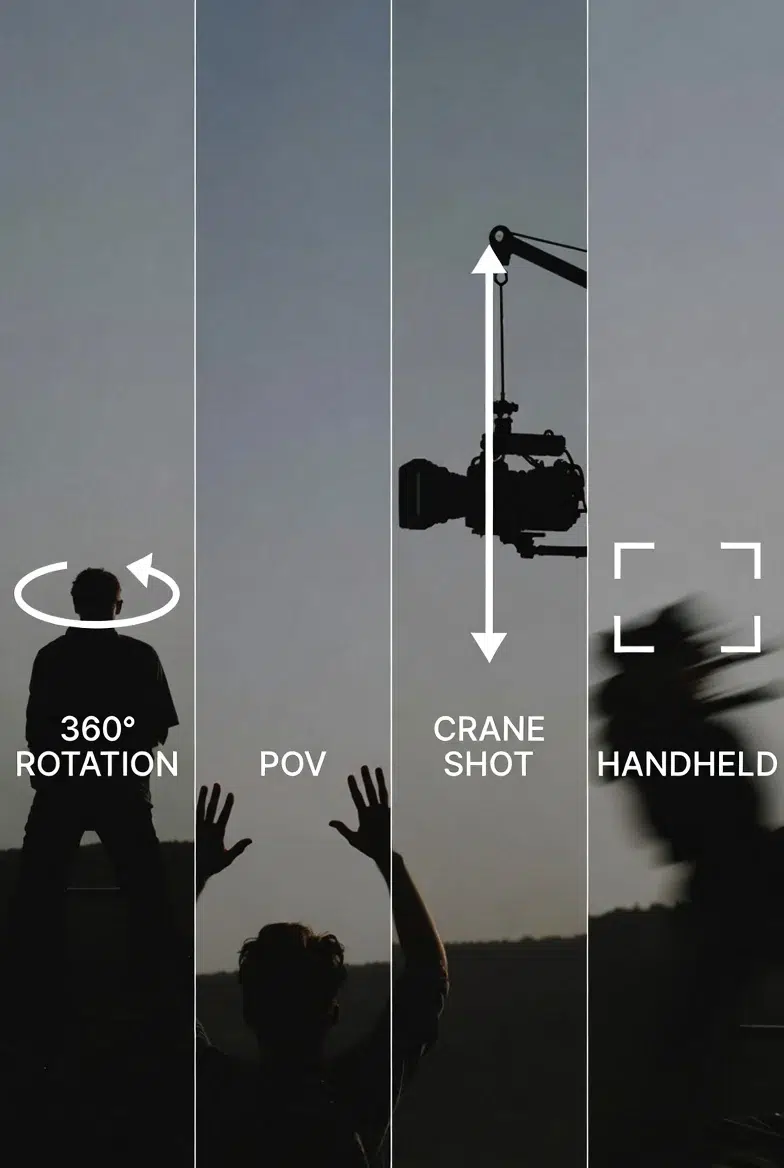
| Technique | Description |
|---|---|
| 360° Rotation | Orbiting around the subject |
| POV (Point of View) | First-person view through character's eyes |
| Crane Shot |