


Running AI image generation content on aickyway, questions about prompt writing never stop. But most of them only cover text prompts. Things like "use these keywords" or "write your negative prompt like this." There was a time when that was enough, but after starting to use GPT-4o and Gemini in real work, I realized — using only text means you're only tapping into a fraction of AI's capabilities.
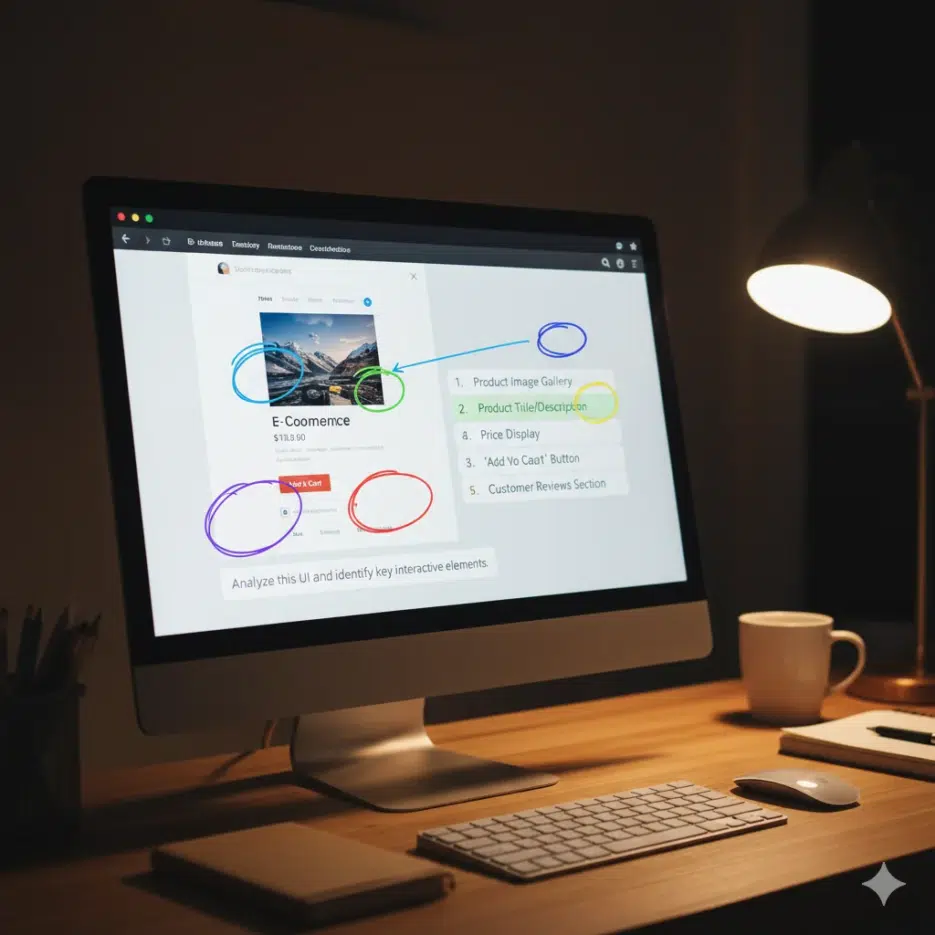
A while ago, while working on the aickyway landing page redesign, I tried getting design feedback from GPT-4o. At first, I just asked in text: "This is a landing page for an AI image generation community site — how should I modify it to increase conversion rates?" The response was textbook UX advice. Things like "make the CTA button stand out" or "add user testimonials." But when I uploaded a screenshot along with it and asked "what element do you think users' eyes are drawn to first on this page?", the specificity of the response completely changed. It pointed out that the visual weight of the hero image was suppressing the CTA button, and that the text contrast ratio on the navigation bar was low — analyses that could never have come from text alone.
After this experience, I became interested in "how to compose prompts by combining text + images + video," and here's my summary.
Uploading an Image Isn't Multimodal
Let me start by addressing the part most people get wrong.
Uploading an image alongside your prompt is just the starting point. The key is structuring each input to serve a different role. Text guides the direction of image analysis, images provide context for video analysis, and information from video becomes the basis for the next text prompt.
You'll feel the difference immediately when you try it yourself. If you just toss in a single image saying "analyze this design," you get a generic analysis. But if you say "this is a competitor's homepage (Image A), this is our homepage (Image B), this is heatmap data (Image C) — where in B is user drop-off higher than A, and does C support that?", you get a completely different level of response. That's the difference between "stacking" modalities versus just "throwing them in."
Model Architecture Affects Prompt Strategy
I won't go deep into architecture. I covered the vision encoder → projector → LLM structure in another post about multimodal LLMs, so here I'll only discuss the differences that directly impact prompt design.
Unified models like Gemini, which process all inputs in a single model from the start, can connect image content and questions fairly well even if you just upload an image and ask "what's wrong?" On the other hand, modular models, where specialized modules process each modality and merge them later, sometimes produce better results when you explicitly point out cross-modal connections, like "look at the top 20% of this image — the navigation bar alignment with the text below seems broken."
This means the same prompt can produce different results depending on model architecture. If a prompt that worked well on a unified model gives weird answers on a modular model, it's not that the prompt is bad — you may just need to be more explicit about the relationships between modalities.
What's Different From Using Text Only
Pulling some numbers cited in the original source: an MIT study showed visual question-answering accuracy of 89% with multimodal versus 71% with text-only, and a McKinsey survey found that companies applying multimodal AI to customer service reduced resolution time by 44%.
More than the numbers, what I personally feel is this: the biggest difference is that the cost of translating visual information into text disappears. To get design feedback with text only, you have to describe things like "the blue button on the right side of the hero section is too small, and the spacing with the text block below it is too narrow..." — translating visual elements into words. Information gets lost in the process, and the AI has to guess exactly which "blue button" you're talking about. A single screenshot eliminates this entire translation step.
And the time savings don't just mean faster input. It means you can try far more prompt variations in the same amount of time, and this iteration count raises the upper bound of output quality.
4 Prompt Techniques You Can Use Right Away
I'll distinguish between techniques I've personally tried and those I haven't.
Chain Reasoning Across Modalities
Many people know about text-only Chain-of-Thought (step-by-step reasoning), but the idea here is to apply it while switching between input types.
Common mistake:
"Analyze this product page screenshot and tell me what to improve."
Try this instead:
"Step 1: Identify the visual hierarchy in this screenshot (Image A). Step 2: Compare it with 3 competitor screenshots (Images B, C, D) and point out our page's weaknesses. Step 3: Using the attached brand guidelines document as a reference, explain where the current design conflicts with the guidelines. Step 4: Synthesize the above analysis and present specific modifications with visual evidence."
Rather than analyzing images and text separately, you're explicitly chaining: image analysis → cross-image comparison → text-based cross-referencing → holistic judgment. When I actually used this approach during the aickyway redesign, including a brand guidelines PDF in step 3 led to feedback like "the current CTA button color differs by more than 4% from the guidelines' primary color." That level of analysis simply wouldn't come from images alone or text alone.
Stack Previous Output as Next Input
Instead of finishing in one round, use the AI's previous response as the basis for the next question.
Round 1 — Capture a specific frame from a video and ask "What's the dominant emotion in this scene?" Round 2 — Upload the full 30-second clip and ask "How does the emotion identified in Round 1 evolve throughout the video?" Round 3 — Add subtitle/script text and ask "Does the dialogue reinforce or contradict the visual emotional flow?"
I haven't personally tried this one. It seems useful for people who primarily work with video content, and I plan to give it a shot when the opportunity arises to create video tutorials for aickyway.
Label Your Images When Uploading Multiple
This is simple but definitely effective. When uploading multiple images simultaneously, explicitly tell the model what each one is.
Common mistake:
[3 images] "Compare these designs."
Try this instead:
"[IMAGE_A: Current homepage] [IMAGE_B: Competitor homepage] [IMAGE_C: User heatmap data] Compare user engagement patterns between IMAGE_A and IMAGE_B, and use IMAGE_C to identify which design elements attract attention."
If you don't label them and just throw in 3 images, the model often arbitrarily decides which image is which, causing the analysis to get mixed up. I've experienced this multiple times, and it happens particularly often with Claude. GPT-4o tracks image order relatively well, but labeling is just a safe habit to have regardless.
Anchor Your References Clearly
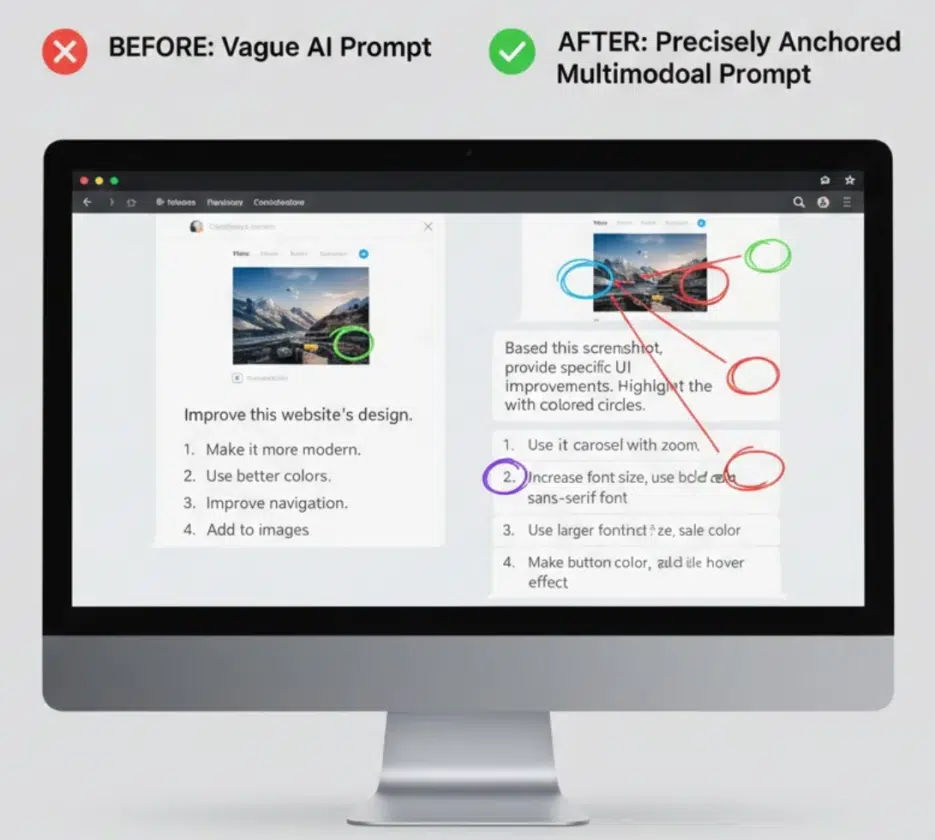
What "make it more modern" means differs from person to person. The key is anchoring abstract instructions to visual references.
Common mistake:
"Make this design more modern."
Try this instead:
[Upload current design] "Target the navigation bar in the top 15% and the hero section in the 40% below it. [Upload reference image] Apply the visual principles from this reference design to modernize it. Keep the current version's color palette but update the typography and spacing."
Reference image + specific region specification lets you share the definition of "modern" with the model. Without this approach, the AI applies its own version of "modern," and the odds of it matching your taste are about fifty-fifty.
Two Real-World Scenarios
Reverse-Engineering Video Content
If you want to dissect a popular video from a competing YouTube channel, you can stack it like this:
- Thumbnail image: "What visual hook is this thumbnail using?"
- First 10 seconds of video: "How does it maintain viewer attention in the transition from thumbnail to video?"
- Subtitle text: "Where do the pacing of speech and cut transition timing align?"
- Synthesis: "Based on this analysis, create a script skeleton with the same engagement structure."
You can't analyze the synchronization of visual and audio elements with text alone, but stacking like this makes it possible.
Writing Software User Guides
- Feature screenshot: "What's the most confusing element in this interface?"
- Screen recording of user struggling: "At the 0:45 mark, the user hesitates — why do you think that is?"
- Current documentation text: "Does the current documentation address the confusion point identified in #2?"
- Generation: "Rewrite the documentation with callouts that reference specific visual elements from the screenshots."
Video identifies the problem areas, images set the reference points, and text provides the solution — a clear division of roles.
Different Models Feel Different
I'll only cover the ones I've personally used.
GPT-4o — Most stable for text + image combinations. Great at reading text in screenshots, recognizing code, and analyzing documents. It's what I use most for aickyway work. However, as conversations get longer and images pile up, references to images uploaded early in the conversation tend to weaken. Direct video analysis is still unstable.
Gemini 1.5 Pro — With a 1 million token context window, it has a physical advantage when inserting long videos or large volumes of images. I felt that Gemini currently handles video analysis best, but on the other hand, its understanding of Korean instructions sometimes falls short of GPT-4o, and its fine-grained image detail analysis is slightly inferior.
Claude 3.5 Sonnet — Meticulous with technical documents, diagrams, and code screenshot analysis. Its strength is reading long documents and connecting that content to visual elements through reasoning, but it's more sensitive to labels when comparing multiple images simultaneously. That's the context when I mentioned earlier that "image mixing is more frequent with Claude."
Cost Issues and Hallucinations — Drawbacks You Can't Ignore
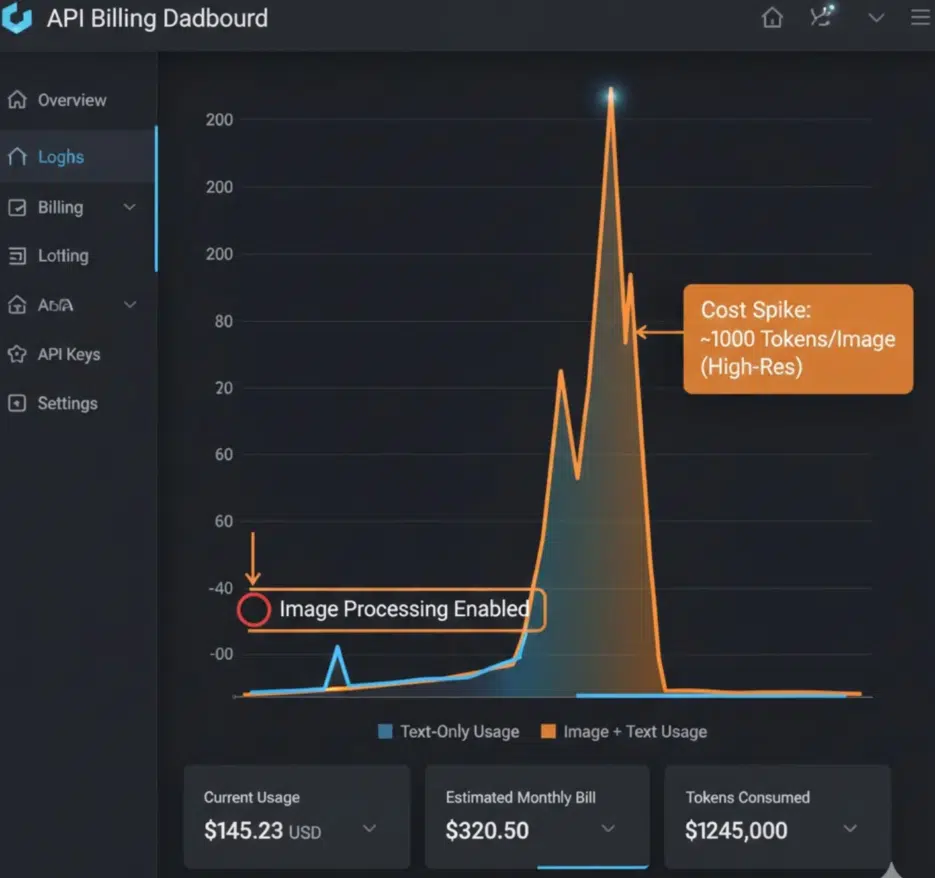
The critical downside of multimodal is token cost. Text processing is cheap, but a single image consumes thousands to tens of thousands of tokens. Upload 20 high-resolution screenshots and 200,000 tokens are gone before you've typed a single character of prompt text. For video, multiply by the number of frames.
At aickyway, we tried incorporating image analysis into an automation pipeline but dropped it after doing the cost calculations. 3 images per user, 500 users per day means 1,500 images. At roughly 1,000-5,000 tokens per image on GPT-4o, that's at least 1.5 million tokens — $2-3 per day. $60-90 per month, which is a significant burden relative to revenue at our current scale. It would make sense to switch to self-hosted model serving at larger scale, but for now, having humans do it is ironically more cost-effective.
Hallucination issues also become more insidious as modalities increase. When you input a blurry image, the model sometimes confidently analyzes details that aren't visible. Text hallucinations are relatively easy to fact-check, but when it says "this part of the image shows this," you have to visually re-examine it yourself.
Not every task needs multimodal. Attaching a map to "What's the capital of France?" won't improve the answer. Only use it when multiple inputs genuinely add new information.
What's Coming Next
Real-time screen analysis — Instead of uploading files, AI watches your work screen in real-time and provides feedback. Early forms have already appeared in Meta's Ray-Ban smart glasses, and commercial desktop products are likely to launch this year.
Cross-session memory — The AI remembering and connecting wireframes uploaded in January, feature priorities discussed in March, and user testing videos uploaded in May, all across sessions. Once the hassle of re-uploading files every time disappears, friction in multimodal workflows will be significantly reduced.
Simultaneous multi-format generation — A single prompt like "create a product launch campaign" producing video ads, social media images, web copy, emails, and presentations all at once while maintaining consistency in tone and visuals. Right now we create each separately and manually match the tone, but once this is automated, the way we work will fundamentally change.
From the perspective of an AI image generation community, what I'm particularly watching is this: when these capabilities combine, the cycle of "prompt → image generation → feedback → revision" can be visually completed within a single conversation. When you can give editing instructions like "make this part brighter, turn the character's gaze to the left" while pointing at the image, today's txt2img workflow will feel quite outdated.
For Those Just Getting Started
You don't need to go big. Just try uploading a single screenshot alongside a question you'd normally ask in text only. You'll immediately notice the difference in responses.
If you want to take it one step further, try splitting your prompt into two rounds. In the first prompt, have the AI analyze the image. In the second prompt, add new text instructions on top of that analysis. It's definitely more precise than dumping everything in at once.
After that, try inputting images, text, and video (or PDF) all together, and finally pick a piece of content you like, break it down by modality, and have the AI analyze each layer. Once you get to this point, you'll develop an intuition for which combinations work for which tasks.
Using only text means you're only using half of AI's capabilities. Starting today, before you type into GPT or Claude, ask yourself: "Is there a screenshot that could help explain this?" Next time, I'll share more about my experiments trying to automate multimodal analysis features on aickyway.

