"Can't you just type a few words?"
Yes, you can get an image with just a single word. Sometimes you even get amazing results. But if you want consistent results that match what you're looking for, you need to know how to write prompts properly.
I used to write by feel at first, but when I analyzed prompts from skilled creators in Discord communities, I found common patterns. Following those patterns dramatically improved my results.
Paul DelSignore's article neatly organized prompt structure, so I've translated it. These principles apply to Midjourney, Stable Diffusion, and DALL-E alike.
The 4 Components of a Prompt
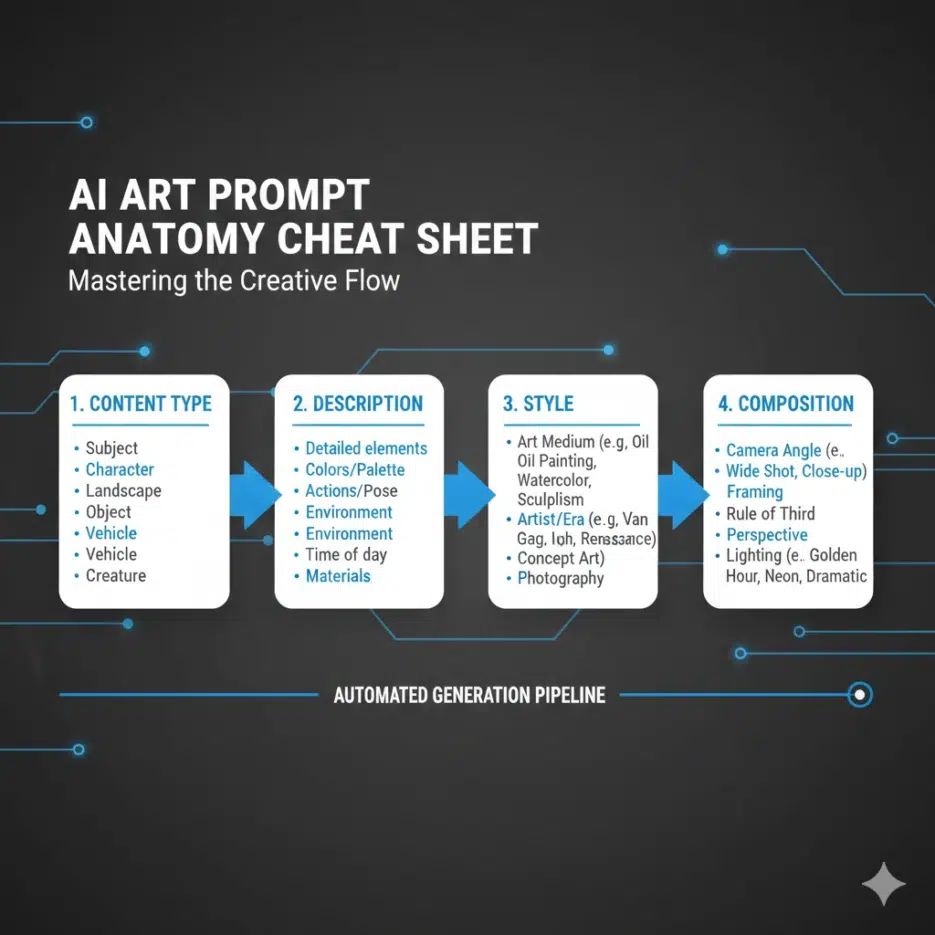
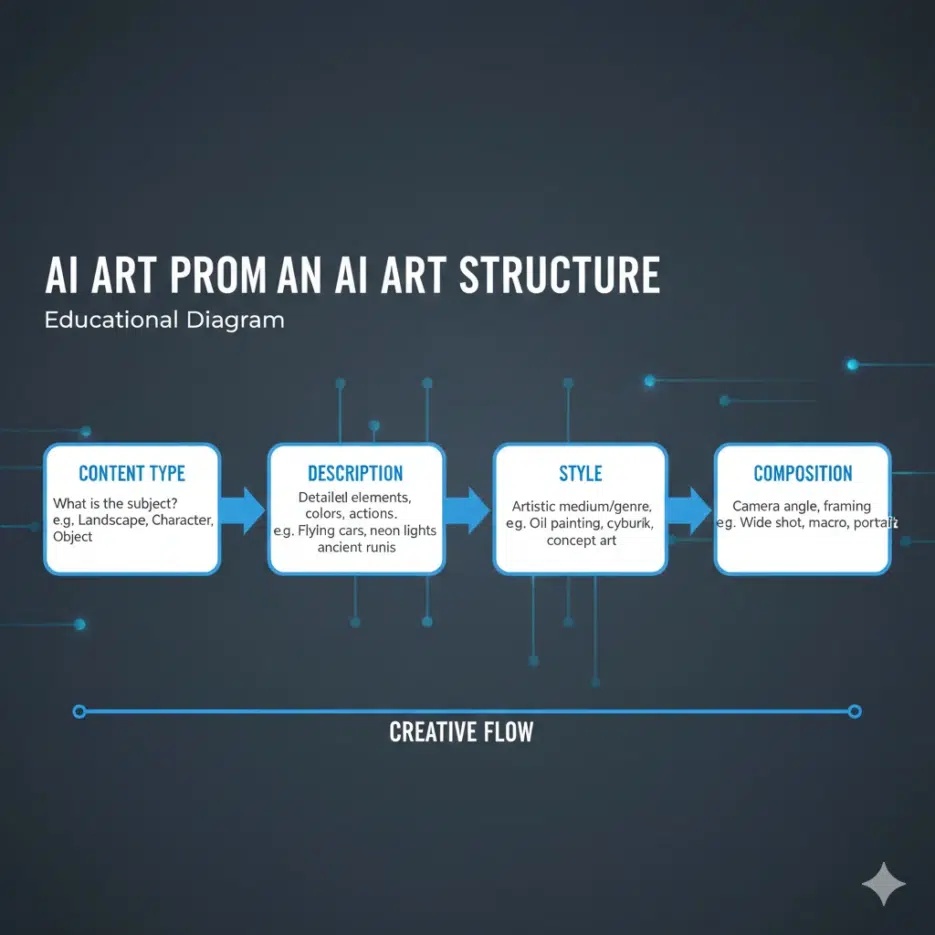
A good prompt includes 4 elements in order. The order matters because AI treats words at the front as more important.
| Order | Element | Role |
|---|---|---|
| 1 | Content Type | What are you creating? (photo? painting? 3D?) |
| 2 | Description | Subject and environment description |
| 3 | Style | Lighting, detail, art style |
| 4 | Composition | Aspect ratio, camera angle, resolution |
Let's look at each one.
1. Content Type
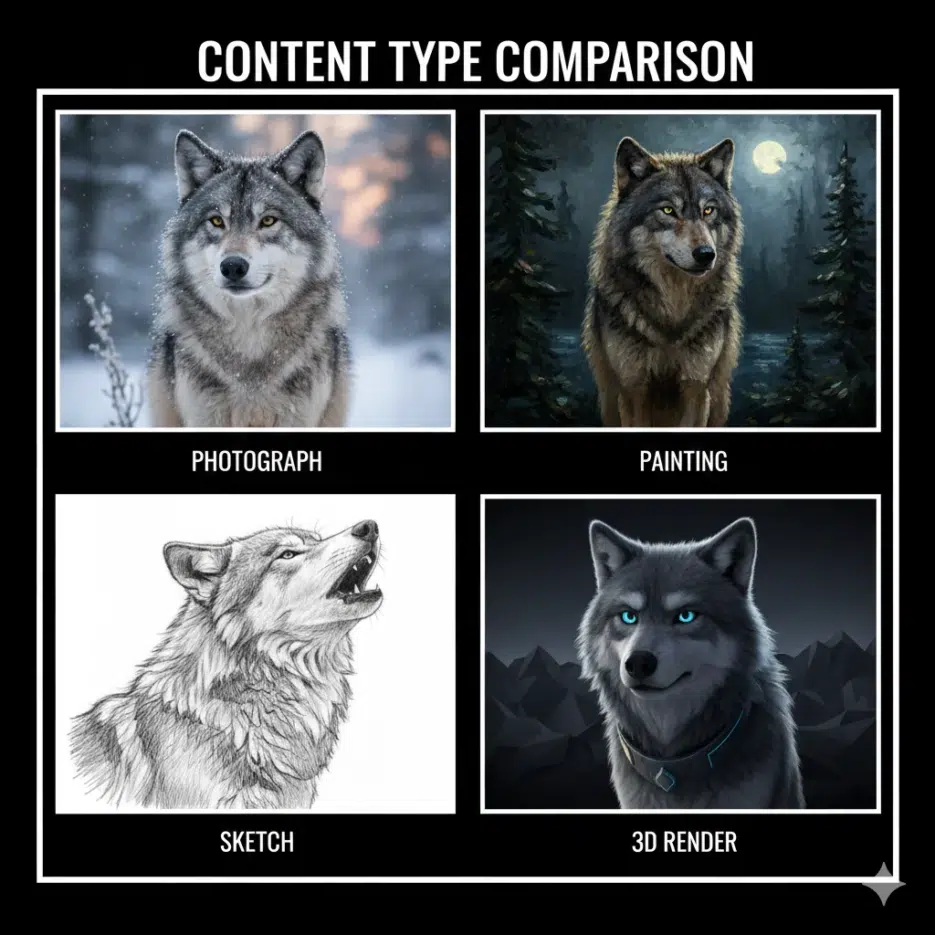
"What kind of image are you creating?"
This is the starting point of your prompt. If you don't specify this, the AI will decide on its own.
Common Content Types
A photograph of...     (photo)
A painting of...       (painting)
A drawing of...        (drawing)
A sketch of...         (sketch)
A 3D render of...      (3D render)
An illustration of...  (illustration)
A digital art of...    (digital art)
Example
❌ wolf in the forest
✅ A photograph of a wolf in the forest
It seems simple, but this single phrase completely changes the result.
2. Description
"What, where, in what state?"
This is the most important part. The more specific you are, the closer you get to your desired result.
The 3 Elements of Description
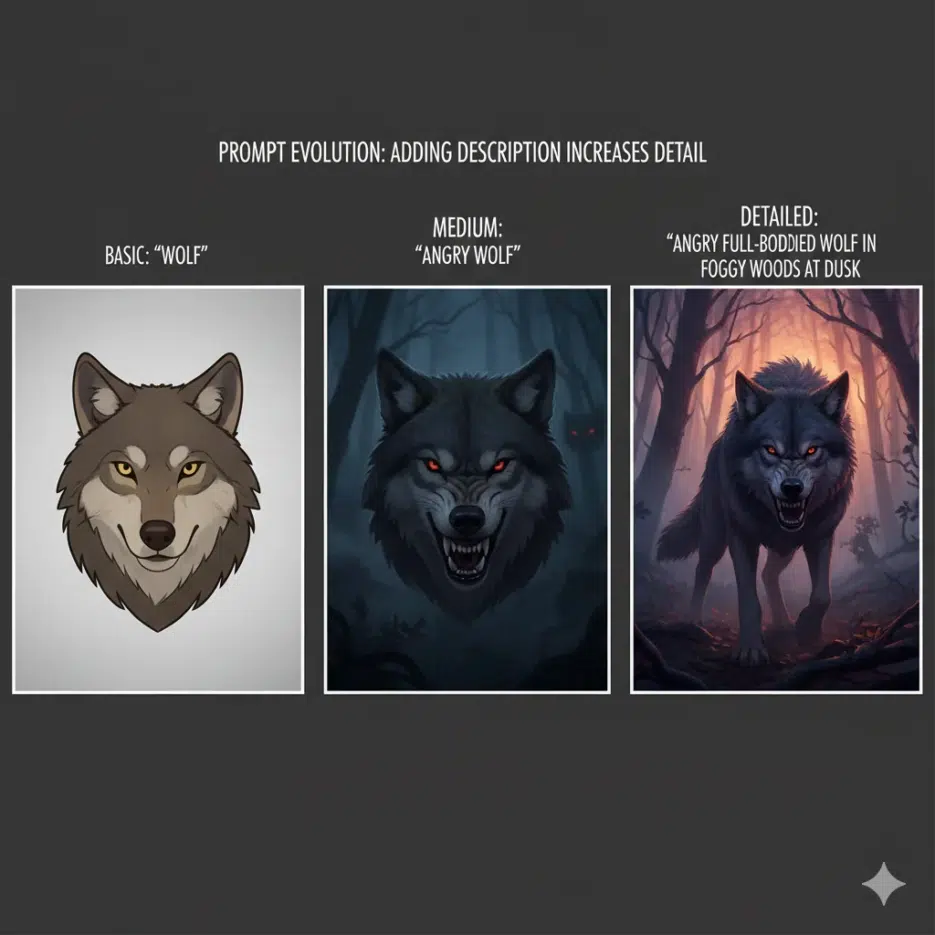
| Element | Explanation | Example | |---------|-------------|---------|| | Subject | What is the subject | wolf | | Subject Attributes | State/characteristics of the subject | angry, full-bodied | | Environment/Scene | Background, environment | in the foggy woods |
Progression Example
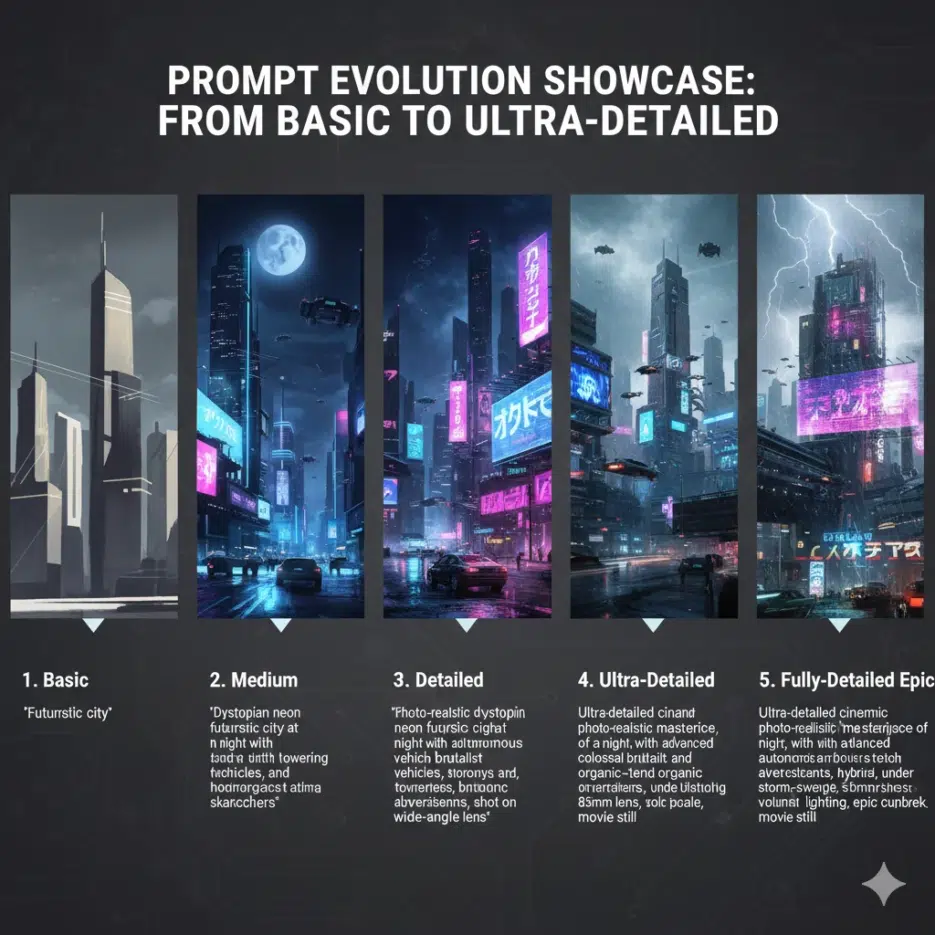
Level 1: A photograph of a wolf
→ Just a wolf photo

Level 2: A photograph of an angry wolf
→ A wolf with an angry expression

Level 3: A photograph of an angry full-bodied wolf in the foggy woods
→ An angry wolf with full body visible in a foggy forest
As the level increases, the results become more specific.
Adding Era/Period
If your image includes people or buildings, when matters too.
Primitive society
Antiquity
Middle ages
Renaissance
Modern world
Contemporary
Future
Example: A photograph of a knight in medieval castle, middle ages
3. Style
"What mood and feel?"
Style can be divided into three subcategories.
3-1. Lighting
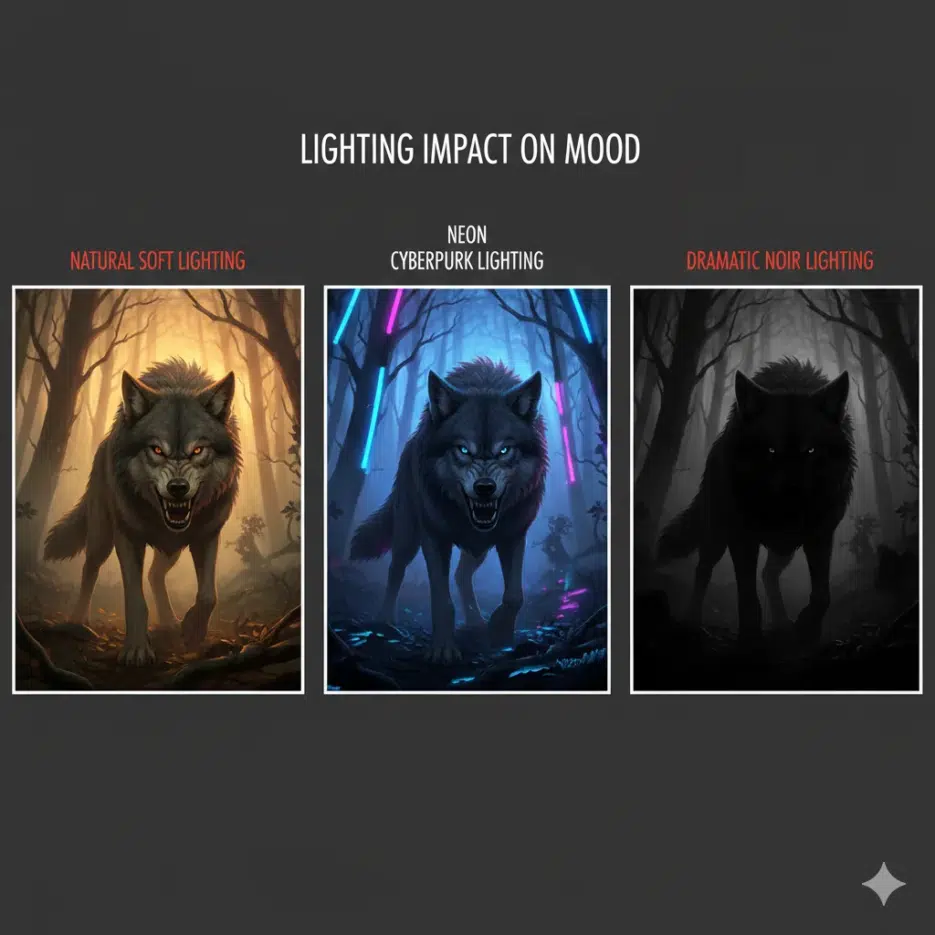
Lighting determines the mood. The same scene looks completely different depending on the lighting.
Natural light:
natural lighting, sunlight, moonlight, dusk, dawn, golden hour

Artificial light:
neon lamp, candlelight, spotlight, fluorescent, Edison bulb

Special effects:
backlight, rim lighting, dramatic lighting, soft lighting,
crepuscular rays, glowing, blacklight
3-2. Detail
This determines the precision of the image. You can mention rendering engines or camera techniques.
Rendering engines:
unreal engine, octane render, vray, houdini render, arnold render

Photo feel:
bokeh, depth of field, 8k uhd, film photography, DSLR, 100mm

Quality keywords:
highly detailed, ultra realistic, studio quality, raytracing
3-3. Art Style
You can specify historical art movements or techniques.
Historical styles:
Renaissance, Baroque, Impressionism, Cubism, Surrealism,
Art Deco, Pop Art, Abstract Expressionism

Techniques/Media:
Digital art, oil painting, watercolor, concept art,
character design, line-art, tarot card style
Style Application Example
Basic:
A photograph of an angry full-bodied wolf in the foggy woods

+ Adding style:
A photograph of an angry full-bodied wolf in the foggy woods,
dusk, unreal engine, 8k
Using Artist Names
One of the methods AI understands best for specifying style is artist names.
Examples:
...by Greg Rutkowski, by Artgerm
...in the style of Studio Ghibli
...by Alex Horley-Orlandelli, by Bastien Lecouffe-Deharme
Combining multiple artists mixes styles for unique results.
A photograph of an angry full-bodied wolf in the foggy woods,
by Alex Horley-Orlandelli, by Bastien Lecouffe-Deharme,
dusk, sepia
| Purpose | Ratio |
|---|---|
| Instagram square | 1:1 |
| Instagram Stories/Reels | 9:16 |
| YouTube thumbnail | 16:9 |
| Vertical portrait | 2:3, 4:5 |
| Horizontal landscape | 3:2, 16:9 |
| Wide banner | 21:9 |
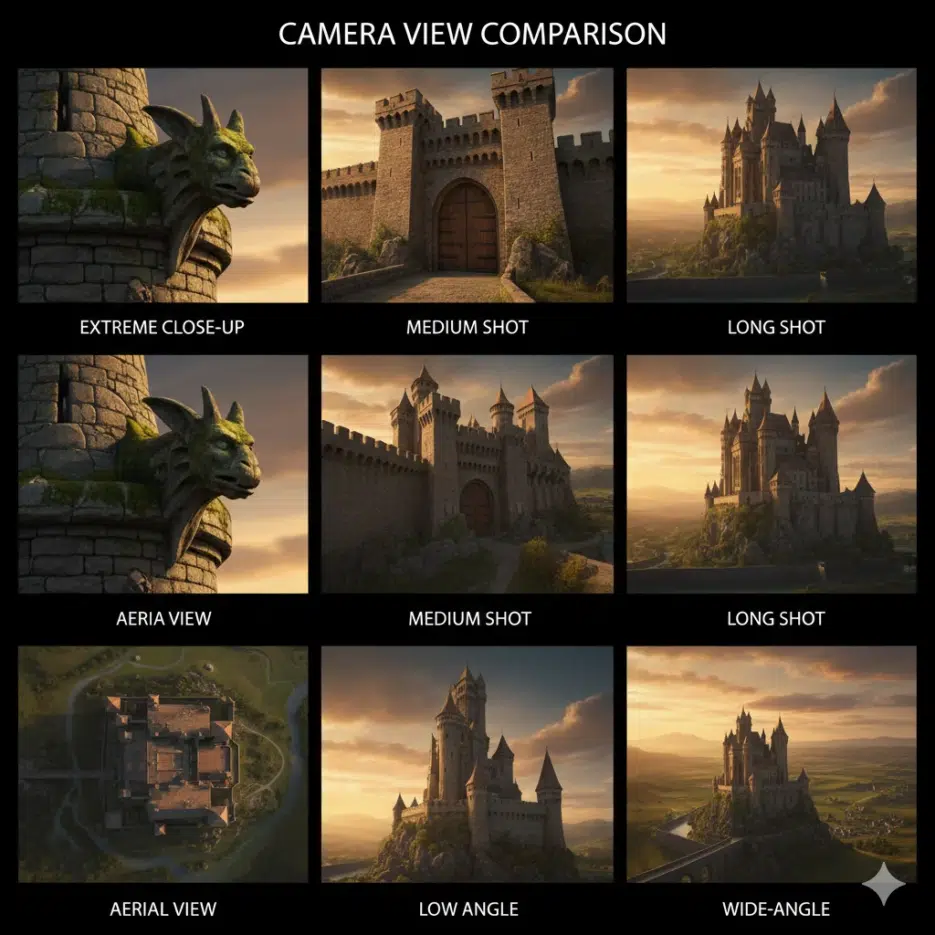
4-2. Camera View
This determines the viewer's perspective.
Distance:
extreme close-up, close-up, medium shot, long shot, extreme long-shot

Angle:
low angle, high angle, aerial view, street level view, dutch angle

Lens:
wide-angle, ultra wide-angle, fisheye, panoramic, bokeh
4-3. Resolution
Specify quality and size.
4k, 8k uhd, highly detailed, studio quality, ultra realistic
Complete Prompt Structure
Combining all elements looks like this:
[Content Type] + [Description] + [Style] + [Composition]

Example:
A photograph of                          ← Content Type
an angry full-bodied wolf                ← Subject + Attributes
in the foggy woods,                      ← Environment
by Alex Horley-Orlandelli,               ← Artist Style
dusk, sepia, unreal engine, 8k,          ← Lighting, Detail
wide-angle, cinematic composition        ← Composition
Keyword Cheat Sheet
Lighting Keywords
Natural: natural lighting, sunlight, moonlight, golden hour, dusk, dawn
Artificial: neon, candlelight, spotlight, Edison bulb, fluorescent
Mood: dramatic lighting, soft lighting, backlight, rim lighting
Special: crepuscular rays, glowing, blacklight, lava glow
Detail Keywords
Render: unreal engine, octane render, vray, cinema4d, houdini
Photo: bokeh, depth of field, DSLR, film photography, 100mm
Quality: 8k uhd, highly detailed, ultra realistic, raytracing
Art Style Keywords
Historical: Renaissance, Baroque, Impressionism, Surrealism, Pop Art
Modern: digital art, concept art, anime, manga, fantasy
Technique: oil painting, watercolor, pencil sketch, line-art