


I tested YOLO-E, which finds objects using only text without trained classes
Terms to Know First
| Term | Description |
|---|---|
| YOLO | Stands for "You Only Look Once". A fast AI model that detects objects in real-time by looking at an image only once. |
| Object Detection | A technology that identifies "what something is and where it's located" in an image. Positions are marked with bounding boxes. |
| Zero-shot Detection | The ability to detect objects that have never been trained on. It can find new things using only text descriptions. |
| Text Embedding | Converting sentences into numerical vectors. This allows AI to understand "meaning". |
| Flange | A metal disc that connects pipes or machine parts. It has a large hole in the center and bolt holes around the perimeter. |
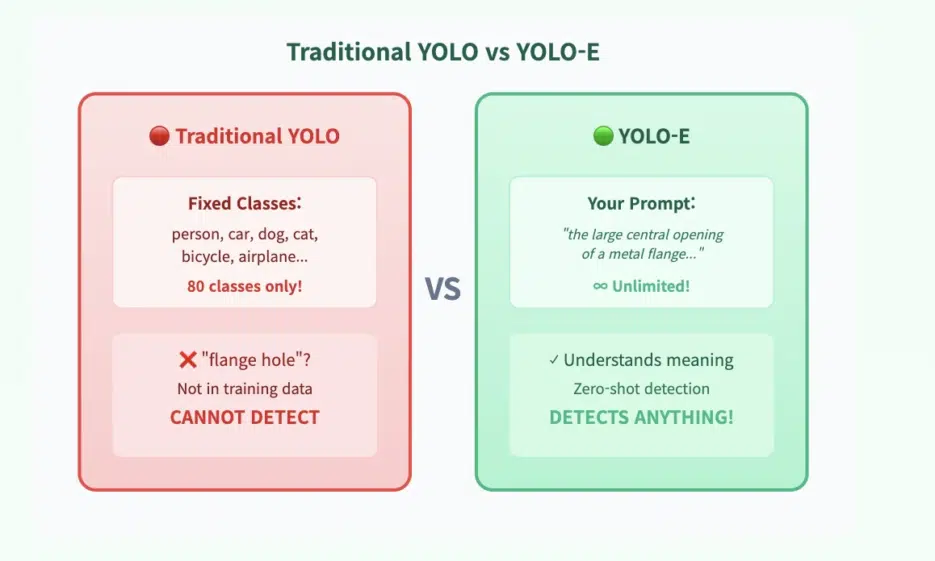
In traditional object detection, models are confined to trained classes. Dogs, cars, people... But what if you want to detect something really specific?
For example, what if you want to detect something like this? "The large central hole of a metal flange — excluding the small bolt holes"
A typical model would fail. But YOLO-E is a game changer.
YOLO-E extends classic YOLO with text-based detection. Instead of fixed labels, it responds to your descriptions.
And it actually works.
The code is surprisingly simple
Here's the code I used to detect only the large central hole in a metal flange:
from ultralytics import YOLOE
from PIL import Image
import numpy as np
import cv2
import matplotlib.pyplot as plt

IMAGE_PATH = "flange.jpg"

# I only want one thing: the large central hole
PROMPTS = [
    "the large central opening of a metal flange, wide and smooth, much bigger than bolt holes"
]

CONF_THRESHOLD = 0.01

# Load model
model = YOLOE("yoloe-v8l-seg.pt").cuda()
⭐ The key: Convert text to embeddings
text_pe = model.get_text_pe(PROMPTS) model.set_classes(PROMPTS, text_pe)
Run prediction
image = Image.open(IMAGE_PATH).convert("RGB") results = model.predict(image, conf=CONF_THRESHOLD, verbose=False)[0]
Visualize results
img = cv2.cvtColor(np.array(image), cv2.COLOR_RGB2BGR) for box, cls, score in zip(results.boxes.xyxy, results.boxes.cls, results.boxes.conf): x1, y1, x2, y2 = map(int, box) cv2.rectangle(img, (x1, y1), (x2, y2), (0, 0, 255), 2) cv2.putText(img, f"center hole {score*100:.1f}%", (x1, y1 - 10), cv2.FONT_HERSHEY_SIMPLEX, 0.7, (0, 0, 0), 2)
plt.imshow(cv2.cvtColor(img, cv2.COLOR_BGR2RGB)) plt.show()
---

## 🪄 Why does this work? — Prompt Engineering for Vision

YOLO-E uses **text embeddings** internally:

```python
text_pe = model.get_text_pe(PROMPTS)
model.set_classes(PROMPTS, text_pe)
This single step transforms the model into a zero-shot detector. In other words, it attempts to match the scene with the meaning of your sentences.
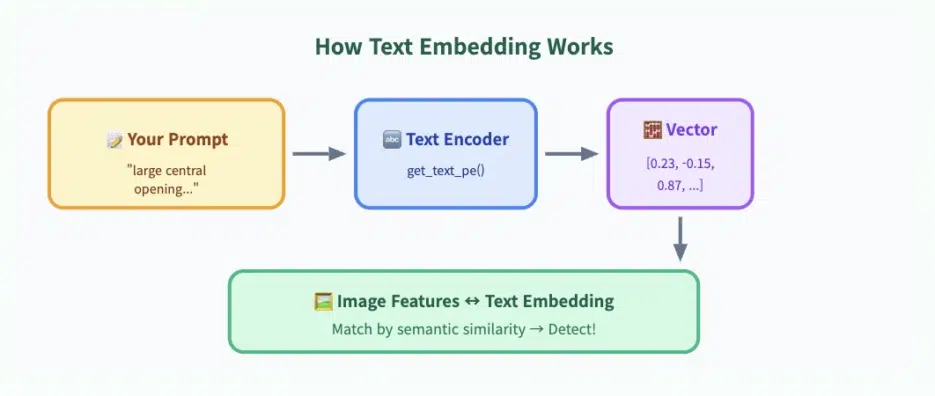
💡 Key Trick: Make your prompt describe the large hole while implicitly excluding the smaller holes.
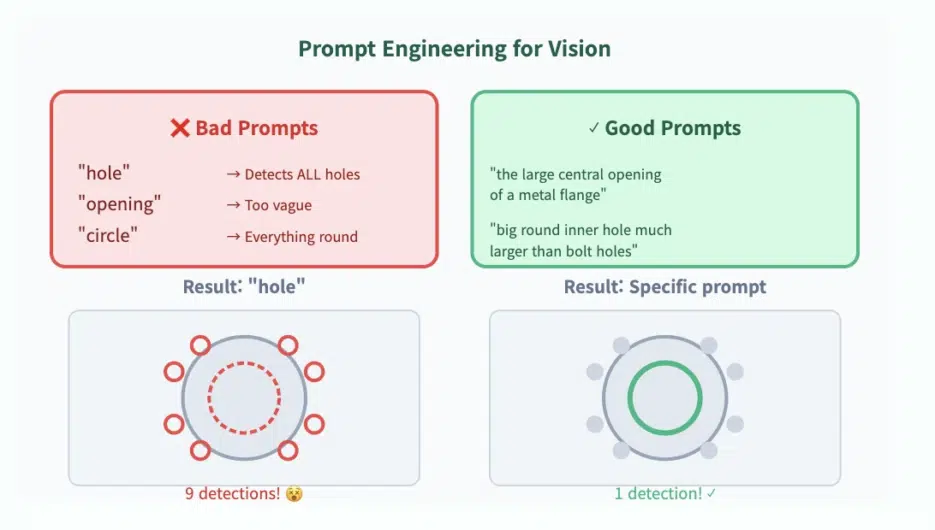
✍️ Prompts that work vs prompts that don't
✗ Prompts to avoid
| Prompt | Problem |
|---|---|
"hole" | Detects all holes |
"opening" | Too vague |
"circle" | Detects everything circular |
✓ Prompts that work well
"the large central opening of a metal flange""big round inner hole much larger than bolt holes""wide center cavity of a flange"
Real Results
Initially, the model started like this (too many detections):
- 8 small bolt holes
- 1 central hole
- Random noise detections
After tuning the prompt, it accurately detected only the large hole.
🌟 Where YOLO-E shines: It lets your words guide the detector.
🏗️ Why does this matter?
Text-based detection opens the door to various possibilities:
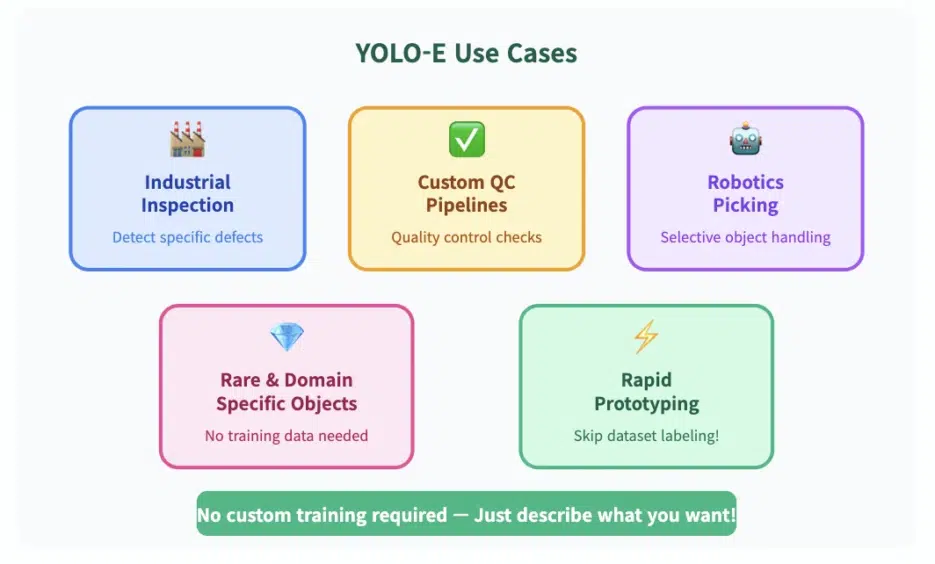
🏭 Industrial Inspection
Selectively detect specific defects, cracks, and anomalies
🔧 Custom QC Pipelines
Define quality inspection criteria in text
🤖 Robotics (Selective Picking)
Guide robots to pick up only specific objects
💎 Rare/Domain-Specific Objects
Detection possible without training data
⚡ Rapid Prototyping
Test immediately without dataset labeling!
🎯 The Biggest Advantage
Rapid prototyping is possible without dataset labeling.
Just describe what you want and you're done!
Object detection is no longer about "what did the model learn" It's now about "what do I want to find".


